
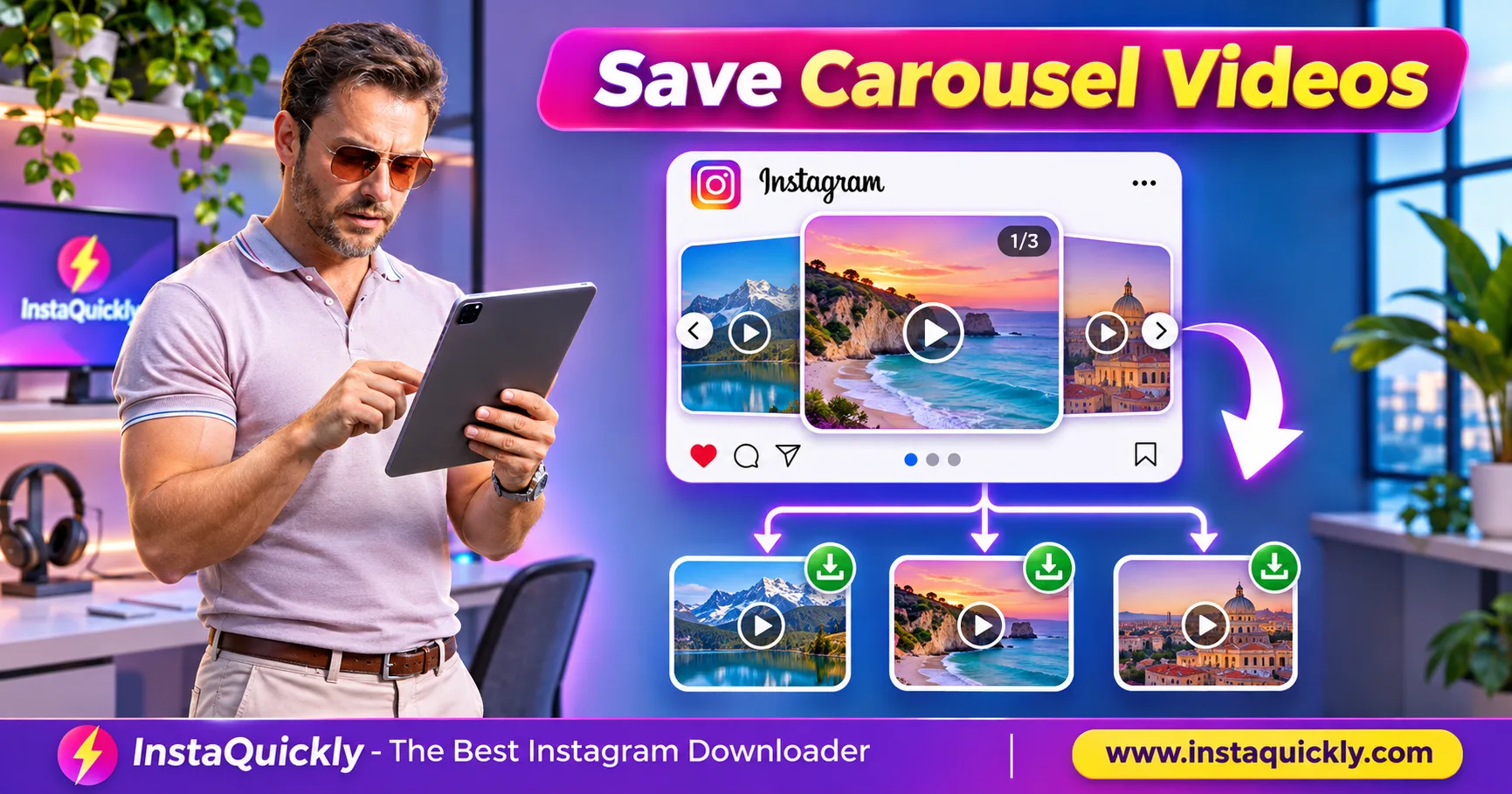
To download multiple videos from Instagram post carousels, copy the link to the full carousel, open a compatible downloader, and check whether it displays every available media item. Save each video as a separate MP4, then compare the files with the original slide order.
One Instagram carousel can contain several videos or a mix of photos and videos. However, not every downloader supports every carousel item or offers a one-click batch download.
This guide explains how to identify video slides, save multiple clips on mobile or desktop, preserve their order, and troubleshoot missing videos without confusing a carousel with a Reel.
Key Takeaways
- [x] One carousel post URL can identify multiple media items.
- [x] Each video slide may have its own downloadable MP4.
- [x] Mixed carousels can contain both images and videos.
- [x] Check every slide before assuming a download is complete.
- [x] Batch download support depends on the tool and available media.
- [x] Keep slide numbers and source information when saving files.
- [x] Respect creator permissions and Instagram privacy restrictions.
What Is an Instagram Multi-Video Carousel Post?
An Instagram carousel is one Feed post containing multiple media items that viewers can explore by swiping. These items can include photos, videos, or a mixture of both. A multi-video carousel is not necessarily one long video file.
How Do Instagram Carousel Video Clips Work?
An Instagram multi video post download starts with understanding the post structure.
For example, a travel creator might publish:
- Slide 1: Cover photo.
- Slide 2: Beach video.
- Slide 3: Hotel video.
- Slide 4: Restaurant photo.
- Slide 5: Sunset video.
This is one carousel with five media items, including three videos.
The videos can have different durations, resolutions, and soundtracks.
Downloading the first visible item does not automatically save the remaining four.
Is a Carousel the Same as a Reel?
No. A carousel contains separate items inside one Feed post, while a Reel is a video publication with its own playback experience.
A carousel video is one item within the larger post.
For example, a carousel with three short videos does not automatically become one combined MP4.
If you want a single edited video containing those clips, you need a separate editing workflow and appropriate permission.
Does One Carousel Have One URL or Several?
The full carousel normally has one main post URL.
That URL identifies the publication rather than just the currently visible slide.
For example, copying the post link while viewing slide three generally gives you the carousel's post link.
A compatible downloader must then identify the individual available media items.
Do not assume each slide has its own public Instagram post URL.
How to Download Multiple Videos from an Instagram Carousel
To download Instagram carousel videos, open the full post, copy its link, and check the downloader's media results. If several video files appear, save each supported MP4 individually. A batch option is useful when available, but it should not be assumed.
Step-by-Step: Download Carousel Videos on a Computer
- Open Instagram in your browser.
- Find the public carousel post.
- Swipe through every slide.
- Count the total media items.
- Note which slides contain videos.
- Copy the carousel's post link.
- Open the Instagram video downloader for public posts.
- Paste the copied URL.
- Review the available download results.
- Identify any separate video items.
- Save each available MP4.
- Check the files in Downloads.
- Compare them with the original carousel.
For example, if slides two, four, and six are videos, look for three corresponding clips.
If the tool returns only one video, do not assume the other clips were saved.
The source or downloader may have limitations.
How to Save Multiple Carousel Videos on Android
- Open the Instagram carousel.
- Check which slides contain videos.
- Tap Share.
- Select Copy Link.
- Open a supported downloader in your browser.
- Paste the post URL.
- Review the available media.
- Download each supported video item.
- Open Files or your Downloads folder.
- Play the saved MP4 files.
- Rename them according to slide order.
Your browser may ask where to save each file.
Some Android gallery applications automatically detect MP4 downloads, while others leave them in Downloads.
How to Download Carousel Videos on iPhone
- Open the carousel in Instagram.
- Swipe through the slides.
- Identify each video.
- Tap Share.
- Copy the post link.
- Open a compatible downloader in Safari.
- Paste the URL.
- Review the available clips.
- Save each supported video.
- Open the Files app.
- Check Downloads.
- Move the videos to Photos if needed.
On iPhone, a downloaded video may first appear in Files rather than Photos.
This does not mean the MP4 is missing.
Always check the actual download location before repeating the process.
Can You Download All Videos with One Click?
Instagram carousel batch download depends on whether the service supports multiple media results and offers a batch-saving feature.
Some tools may display individual download buttons.
Others may offer a ZIP archive or a bulk download option.
Do not assume InstaQuickly provides ZIP or one-click batch downloading unless that option appears in the current interface.
A manual download of several available MP4 files is still a valid way to preserve multiple clips.
How to Save Mixed Carousel Photos and Videos
An Instagram mixed carousel video download requires identifying the file type of each slide. Video slides may provide MP4 files, while photo slides may provide JPG or WebP images. One post can therefore produce several files with different extensions.
How Do You Separate Photos from Videos?
Check each slide before downloading.
For example:
- Photo slide: Usually a still image.
- Video slide: Plays moving footage.
- Cover slide: May be an image rather than the first video.
- Final slide: Could be a photo, video, or graphic.
Use the Instagram photo downloader for public images when you need supported photo items.
For mixed posts, use whichever available tool correctly identifies the relevant media.
Do not rename JPG images to MP4 or combine unrelated file types.
Carousel Media Format Comparison
| Feature | Video Slide | Photo Slide | Full Carousel |
|---|---|---|---|
| Common downloaded format | MP4 | JPG or WebP | Multiple file types |
| Contains moving frames | Yes | No | Depends on slides |
| Contains video audio | Sometimes | No | Depends on video slides |
| Separate file possible | Yes, when available | Yes, when available | Multiple results possible |
| Same duration across items | Not required | Not applicable | Not applicable |
| One combined MP4 guaranteed | No | No | No |
| Downloaded filename preserves order | Not guaranteed | Not guaranteed | Not guaranteed |
| Original camera quality guaranteed | No | No | No |
An MP4 may contain H.264 or another supported video codec.
A JPG or WebP image does not contain a normal video stream.
Does Carousel Music Download with Every Video?
Not necessarily.
A carousel can have post-level music or individual video audio, depending on the content and Instagram features.
The audio heard in the Instagram app may not be embedded in every downloaded MP4.
For example, music attached through Instagram's music feature may be absent from an exported file.
Do not assume the same soundtrack exists inside all carousel videos.
Check each MP4 separately.
How to Keep Carousel Video Order and File Quality
To save each video from Instagram post carousels accurately, record the original slide positions and keep the files in a clearly named folder. Download order and filename order may not match the carousel sequence.
How Do You Preserve the Original Slide Order?
A useful naming method is:
carousel-01-photo.jpg
carousel-02-video.mp4
carousel-03-video.mp4
carousel-04-photo.jpg
carousel-05-video.mp4
The slide number identifies the original position, not the order in which you downloaded the files.
For a video-only collection, keep the original slide index in the filename.
This prevents confusion when photos appear between clips.
Can Carousel Videos Have Different Resolutions?
Yes.
Each video may come from a different recording or export.
For example, one clip may use vertical framing while another uses a square format.
Video bitrate and codec can also differ.
Do not assume every video in the carousel has identical technical properties.
A downloaded version may differ from the creator's original camera recording because of Instagram processing.
What Happens to Creator Information and Dates?
A downloaded MP4 may not preserve the creator's username, original camera date, caption, or location information.
For accurate records, save:
- The original carousel URL.
- The publishing account.
- The visible publication date.
- Each video's slide number.
- Any relevant permission information.
Read how Instagram video metadata survives downloads for more detail.
Do not treat the local download date as proof of when the footage was recorded.
Carousel Video Bitrate, File Size and Download Limits
Multiple carousel videos may use different bitrates, durations, and codecs. Their total download size is the sum of the individual files, not the size of the carousel's preview image.
Estimate storage before saving a large collection.
How Large Are Multiple Carousel MP4 Files?
Use this approximate formula:
File size (MB) = Total bitrate (Mbps) × Duration (seconds) ÷ 8
The total bitrate includes video and audio.
For example, a 30-second clip at 4 Mbps video plus 128 kbps audio uses approximately 15.5 MB.
Three clips with the same settings require approximately 46.4 MB.
Real downloads may differ because of variable bitrate and container overhead.
Bitrate and Storage Comparison
| Example | Total Bitrate | Duration per Clip | Number of Videos | Estimated Total |
|---|---|---|---|---|
| Small clips | 2 Mbps | 15 seconds | 3 | 11.3 MB |
| Medium clips | 4 Mbps | 30 seconds | 3 | 45 MB |
| Longer clips | 4 Mbps | 60 seconds | 4 | 120 MB |
| High-bitrate clips | 8 Mbps | 30 seconds | 5 | 150 MB |
These are mathematical examples, not fixed Instagram download specifications.
A lower-bitrate video can be smaller without having fewer seconds.
Can a Carousel Downloader Merge the Videos?
Some separate editing tools can merge downloaded videos into one longer file.
However, ordinary carousel downloads do not automatically include a combined MP4.
Merging clips can also change their frame rate, aspect ratio, audio, and compression.
If you own the footage, use a compatible video editor to arrange the clips.
Keep the separate original files before making a combined export.
Does Downloading Multiple Videos Reduce Quality?
Downloading several files does not automatically make each file lower quality.
However, the available media may already contain Instagram compression.
Repeated re-encoding can reduce picture quality further.
For the best results, use original creator files when you own them.
Avoid converting every MP4 unless your target player or editing workflow requires it.
Why Are Some Instagram Carousel Videos Missing?
An Instagram carousel missing video problem can occur when the downloader does not identify every media item, a source clip is unavailable, or a download fails. A carousel preview may still work even when one video resource cannot be retrieved.
Why Does the Downloader Show Only One Video?
Possible reasons include:
- The tool supports only the first media item.
- Some carousel slides were not identified.
- The source media is temporarily unavailable.
- The post has access restrictions.
- The copied link identifies the wrong content.
- The download service does not support mixed carousels completely.
First, check the original post in Instagram.
Then compare the number of video slides with the download results.
Do not repeatedly download the same first clip expecting it to contain the remaining videos.
Why Is a Downloaded Carousel Video Cut Off?
A video may stop early because the file is incomplete, the media resource is shorter than expected, or the player cannot decode the final frames.
Check the video's duration in Instagram and compare it with the saved MP4.
Try another trusted player.
If the file still stops early, read how to diagnose incomplete Instagram MP4 downloads.
A damaged MP4 cannot automatically restore frames that were never downloaded.
Why Are Videos Saved in the Wrong Order?
The downloader may list or name files differently from the Instagram slide sequence.
For example, file names may depend on download timestamps or internal media identifiers.
That does not necessarily mean the clips have changed.
Use the carousel's original order as your reference.
Rename the files after verifying which slide each video belongs to.
Can You Download Videos from Private Carousels?
Not through a normal public-link download workflow.
Private or otherwise restricted media may require access that public download services cannot provide.
Do not use tools that promise to bypass account permissions.
For your own content, use available account export options or original recordings.
For another creator's private post, request an authorized copy.
Does Meta Support Mixed Photo and Video Carousels?
Yes. Meta describes Instagram carousels as a format for presenting multiple media items within one post.
Its official Instagram content creation update discusses tools for editing and sharing Feed photos and carousels.
This confirms the carousel format as an Instagram publishing feature.
However, Meta's post does not guarantee that every external downloader supports batch downloads or every individual video resource.
Frequently Asked Questions About Downloading Multiple Instagram Videos
Can I download multiple videos from one Instagram post?
Yes, when a supported downloader can identify the available video items in a public carousel.
Copy the full post URL and save each available MP4 separately.
Can I download all Instagram carousel videos at once?
It depends on the downloader.
Some services support batch options, while others require individual downloads. Check the actual interface rather than assuming one-click bulk saving is available.
Why does my Instagram carousel downloader show only one video?
The tool may support only the first item, fail to identify other slides, or encounter unavailable media.
Compare the downloader results with every video slide in the original post.
Are Instagram carousel videos saved as one MP4?
Usually, each available video item is a separate media file.
A combined MP4 requires an additional editing or merging process.
Can a carousel contain both photos and videos?
Yes. An Instagram carousel can contain a mixture of still images and video clips.
Download the media in its appropriate format, such as JPG, WebP, or MP4.
How do I keep the correct carousel video order?
Record the slide positions before downloading.
Use filenames such as carousel-02-video.mp4 and carousel-05-video.mp4 to preserve the original sequence.
Why is one downloaded carousel video missing audio?
The available media may not include the music heard inside Instagram.
Check the original video audio and the downloaded MP4 separately. Instagram-licensed music may not be included in every downloadable version.
Can InstaQuickly download every video in an Instagram carousel?
InstaQuickly provides downloads for supported public Instagram media.
However, full carousel coverage and batch saving depend on the available source media and supported tool behavior. Check the results before assuming every clip was retrieved.
Conclusion: Check Every Slide Before Saving
To download multiple videos from Instagram post carousels, copy the full post URL, inspect the available media results, and save each supported video as an MP4.
A carousel can contain several video clips, photos, or both. Do not assume that one download includes the complete post.
Keep the original slide order in filenames, compare each clip with Instagram, and verify playback before archiving.
For supported public videos and photos, use InstaQuickly to check available media. When a clip is missing, confirm the source and tool limitations rather than downloading the same file repeatedly.
Download Instagram content only for permitted personal research, education, or other authorized uses. Obtain the required rights before editing, reposting, distributing, or commercially using another creator's videos, photos, or audio. Respect private-account restrictions.
InstaQuickly is an independent service and is not affiliated with or endorsed by Instagram or Meta.