
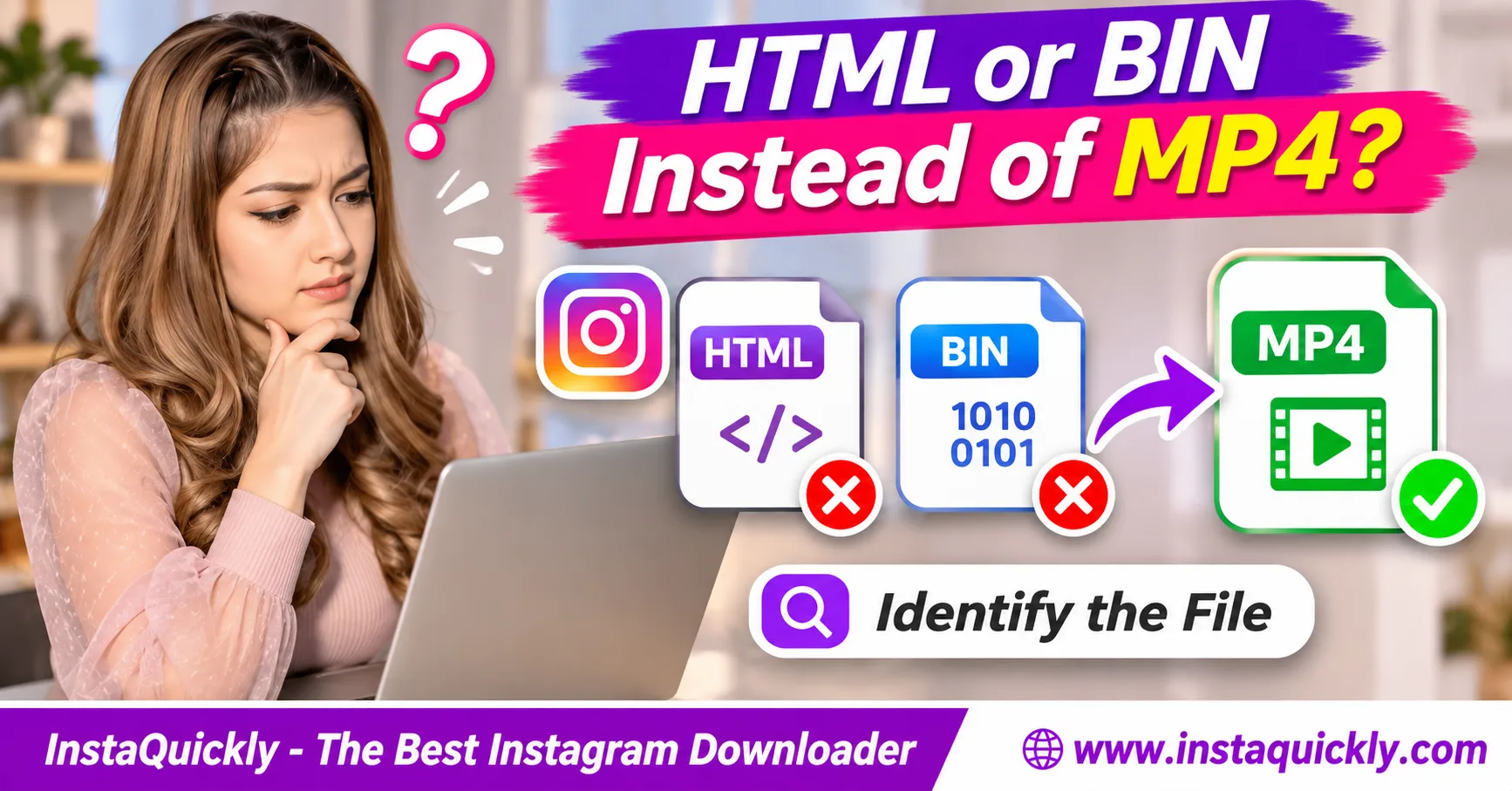
If your Instagram video downloaded as HTML instead of MP4, the browser probably saved a webpage rather than the video. The file might contain a login page, an error message, or a downloader result page. Do not simply rename .html to .mp4.
A .bin download is different. It may contain real binary video data with an unknown extension, or it may contain something else entirely. Check the file before changing its name.
This guide explains how to identify HTML, BIN, and MP4 files, check common download errors, and safely save the correct video on Windows, Mac, iPhone, and Android.
Why Did My Instagram Video Download as HTML Instead of MP4?
An Instagram download HTML file problem usually means the browser received webpage content instead of playable video data. The download link may point to the wrong resource, redirect to a login page, or return an error page.
The extension alone does not explain why the server returned HTML.
Did You Save the Instagram Webpage Instead of the Video?
A common mistake is choosing Save Page As while viewing an Instagram post.
This saves webpage content, not necessarily the video displayed on that page.
For example, the browser may create:
instagram-post.html
It might also create a folder containing webpage images, scripts, and styles.
Neither result guarantees a playable MP4.
An Instagram post URL and a direct video resource are different things.
If you need the video, use an authorized download option rather than saving the page itself.
Why Did the Downloader Return an HTML Error Page?
An Instagram downloader downloaded webpage error can happen when a request does not reach the intended media.
Possible causes include:
- The post is no longer available.
- The media URL has expired.
- The source redirects to a login page.
- The server returns an access-denied message.
- A temporary service error occurs.
- The copied URL identifies the wrong resource.
- A browser or network security page replaces the response.
A file named download.html may contain an explanation rather than video data.
Do not enter your Instagram password into an unfamiliar page merely to complete a download.
Can an MP4 File Have the Wrong Extension?
Yes. An Instagram file extension incorrect problem can happen when the filename does not match the actual file contents.
For example, a valid MP4 might download with an unfamiliar extension because the server did not supply a useful filename.
However, the reverse is also possible.
A file ending in .mp4 may actually contain HTML.
This is why changing a filename is not a reliable first repair step.
Inspect the file type before deciding what to do.
HTML vs BIN vs MP4: How to Identify the Real File
A real MP4 contains a recognized media container structure, while HTML contains webpage markup. BIN is only a generic filename extension and does not identify one specific format.
Use the filename, file signature, media information, and download source together.
Instagram Download File Type Comparison
| File Type | Common Extension | Typical Content | Playable as Video? | First Action |
|---|---|---|---|---|
| HTML page | .html, .htm |
Webpage markup | No | Check the original link |
| Plain text | .txt |
Text or error response | No | Inspect safely as text |
| Generic binary | .bin |
Unknown binary data | Unknown | Identify file signature |
| MP4 video | .mp4 |
Media container | Usually, with compatible codecs | Open in trusted player |
| M4V video | .m4v |
MP4-family video container | Often | Check player support |
| Partial download | .crdownload, .part |
Incomplete transfer | Not reliably | Check download status |
| Fake MP4 | .mp4 |
Non-video content | No | Verify actual file type |
A valid MP4 can still fail to play if its codec is unsupported or its data is damaged.
File identification and playback troubleshooting are related but separate tasks.
What Is an MP4 File Signature?
MP4 files commonly contain an ftyp box near the beginning of the file.
This box identifies the file's format compatibility.
For example, an MP4 may contain the recognizable text:
ftypisom
The exact format brand can vary.
A normal MP4 does not have to begin with the letters MP4, and ftyp is not necessarily at byte zero.
A file containing an MP4-like signature also needs a valid media structure and playable streams.
Use a trusted media inspector for stronger verification.
What Does an HTML File Look Like?
HTML files often contain readable webpage markup.
A file may begin with something similar to:
<!DOCTYPE html>
or:
<html>
It may also contain:
- Page titles.
- Login forms.
- Error messages.
- Website scripts.
- Redirect information.
Do not execute unknown scripts or open suspicious HTML files while signed into important accounts.
If necessary, inspect the content with a trusted plain-text editor.
Finding HTML markup instead of media data explains why a video player cannot open the file.
What Does a BIN File Actually Mean?
Instagram video saved as BIN does not automatically mean the video is corrupted.
BIN commonly stands for binary data.
However, .bin is a generic extension rather than a specific video format.
It could contain:
- An MP4 file with the wrong extension.
- Another supported media format.
- Compressed data.
- A partial response.
- An error payload.
- Unrelated binary content.
Check its file signature and whether a trusted media inspector recognizes valid video streams.
Only rename it after confirming the actual contents.
How to Check a Downloaded Instagram File on Your Device
To diagnose an Instagram download wrong file type, check the completed download, enable filename extensions, and inspect the file using a trusted tool. Do not rely only on the icon shown by your operating system.
Start with basic file information before trying advanced tools.
How Do You Check the File on Windows?
- Open File Explorer.
- Navigate to Downloads.
- Enable filename extensions under the View settings.
- Find the suspected Instagram download.
- Check its complete filename.
- Right-click the file and open Properties.
- Review the file type and size.
- Open a suspected HTML or text file in a plain-text editor.
- Use a trusted media inspector for unknown binary files.
- Confirm the actual format before renaming anything.
For example, reel.mp4.html is normally an HTML file despite containing .mp4 in its name.
Avoid double-clicking unknown executable files.
If the file is clearly HTML, return to the original download workflow.
How Do You Identify the File on Mac?
- Open Finder.
- Go to Downloads.
- Locate the file.
- Select Get Info.
- Check its name and extension.
- Review its size.
- Open plain-text content with a trusted text editor.
- Use a trusted file-type or media inspection tool when necessary.
- Confirm whether the file contains valid video data.
Mac users familiar with Terminal can use the file command to identify many common formats.
For example:
file downloaded-video.bin
The reported type is a useful clue, not a complete media-integrity test.
How Do You Check on iPhone or Android?
- Open Files on iPhone or your Android file manager.
- Navigate to Downloads.
- Find the downloaded file.
- Open its information or details panel.
- Check the extension and size.
- Confirm the browser marked the download as complete.
- Try opening a recognized video file in a trusted player.
- Avoid installing unknown applications for suspicious files.
- Download a fresh authorized copy if the file contains an error page.
Some mobile file managers hide filename extensions or display only basic information.
For difficult cases, inspect the file on a computer rather than guessing its format.
How to Fix an Instagram HTML or BIN Download
If the downloaded Instagram file is not video, first return to the original post and verify the correct URL. Then use a supported media download option, confirm that the transfer finishes, and inspect the new file.
Never expect renaming HTML to produce a working MP4.
How Do You Download the Correct Instagram Reel?
- Open the public Instagram Reel.
- Confirm that the Reel plays.
- Tap Share.
- Select Copy Link.
- Open the Instagram Reels downloader for public videos.
- Paste the Reel URL.
- Check the available media result.
- Select a supported download option.
- Wait until the transfer finishes.
- Open Downloads.
- Confirm the file is an actual video.
- Play it in a trusted player.
InstaQuickly provides browser-based downloads for supported public Reels without requiring Instagram login.
However, it cannot guarantee access to every source or repair an unrelated error page.
What If the Video Opens in a Browser Tab?
A direct MP4 may open inside the browser's built-in video player.
This is different from downloading HTML.
If the browser displays a playable video, look for its available download or Save Video command.
A playable MP4 tab often means the browser received media content.
Saving the webpage around the player may instead create an HTML file.
Use the browser's video-saving action when it is supported.
How Do You Fix a BIN Download?
First identify whether the BIN file actually contains a valid media container.
If a trusted media inspector recognizes an MP4 structure and playable video stream, the filename may simply be incorrect.
You can then save a copy with the appropriate extension.
However, do not rename the file based on size alone.
A large BIN file can still contain unrelated data.
If the contents cannot be identified safely, return to the source and request a proper download.
When Should You Download the File Again?
Download again when:
- The saved file contains HTML.
- The server returned an error page.
- The transfer stopped early.
- The source URL was incorrect.
- The file is clearly incomplete.
- The media resource is still legitimately available.
For supported public video posts outside the Reel-specific workflow, try the Instagram video downloader for public posts.
Do not repeatedly submit private or inaccessible URLs expecting the restrictions to disappear.
Content-Type, Redirects and File Signatures Explained
An Instagram download content type error happens when the server labels or returns data differently from what the downloader expects. HTTP headers help explain the response, but they are not complete proof of the actual file format.
A reliable diagnosis checks both headers and file contents.
What Do Content-Type Headers Mean?
A server can return media with an HTTP Content-Type header.
Common examples include:
video/mp4: MP4 video media.text/html: HTML webpage.text/plain: Plain text.application/octet-stream: Generic binary data.
A correct video/mp4 header supports video handling, but the response body must still contain valid MP4 data.
Similarly, application/octet-stream does not automatically mean the file is invalid.
A generic binary response may contain a real video file.
Why Do Redirects Cause Wrong Downloads?
A redirect tells the browser to request another address.
For example, a media request might redirect to:
- A login page.
- An expired-link message.
- An error page.
- A different media server.
- A verification page.
If the final response contains HTML, saving that response produces HTML data even if the original URL looked like an MP4 download.
This explains some Instagram MP4 downloaded as HTML errors.
Do not try to bypass login or access controls.
Use a current, authorized public media link instead.
Does Content-Disposition Guarantee a Video Download?
No.
The Content-Disposition header can suggest whether the browser displays content inline or handles it as an attachment.
For example:
Content-Disposition: attachment; filename="reel.mp4"
This can encourage a browser to save the response as a file named reel.mp4.
However, the header does not convert HTML into a real video.
If the response body contains a webpage, saving it with an MP4 filename still produces the wrong content.
The actual bytes matter more than the suggested filename.
How Does Instagram Handle Reel Media?
Instagram Reels are video posts that can include audio, effects, captions, and other creative features.
Meta describes these elements in its official introduction to Instagram Reels.
However, an Instagram post page is not the same thing as the video resource delivered for playback.
A downloaded HTML page cannot recreate the video simply because the page contains a Reel.
This distinction is essential when diagnosing wrong-file downloads.
File Size, Bitrate and Format: Can They Reveal a Fake MP4?
File size can help identify suspicious downloads, but it cannot prove that a file is a valid MP4. A small HTML error page and a heavily compressed video may both use little storage.
Inspect the file structure rather than relying on megabytes alone.
File Size and Bitrate Comparison
| File Example | Possible Size | Video Bitrate | Likely Meaning |
|---|---|---|---|
| HTML error page | A few KB to hundreds of KB | Not applicable | Webpage or error |
| Plain-text response | Often small | Not applicable | Text data |
| Generic BIN file | Any size | Unknown | Requires inspection |
| 30-second MP4 at 2 Mbps video + 128 kbps audio | About 8 MB | 2 Mbps | Plausible video |
| 60-second MP4 at 4 Mbps video + 128 kbps audio | About 31 MB | 4 Mbps | Plausible video |
| Partial MP4 download | Variable | Cannot infer reliably | May be incomplete |
The MP4 values are calculated examples, not official Instagram file sizes.
Actual downloads vary by codec, compression, duration, and available media version.
Why Doesn't a Large File Prove It Is Video?
A large file can contain many kinds of binary data.
For example, a 20 MB file might be an MP4, an archive, or something unrelated.
The extension .bin does not identify the content.
Likewise, an HTML response may contain enough embedded resources to become much larger than a simple error page.
Use the file signature and a trusted media inspector for identification.
For more storage calculations, read how Instagram Reel file sizes are calculated.
What If the File Is a Real MP4 but Won't Play?
A valid MP4 container may still contain unsupported codecs or damaged media streams.
For example, the player might recognize the file but fail to decode its video.
That is a playback problem, not necessarily a wrong-file download.
Start by trying another trusted player.
If the audio plays but the picture is missing, inspect the video codec.
If the sound and picture do not match, read how to diagnose Instagram Reel audio delays.
Do not confuse format identification with audio-video synchronization.
How to Avoid Fake MP4 Files and Unsafe Downloaders
The safest way to avoid a fake MP4 is to verify the source, inspect the completed file, and avoid unknown software that promises to repair every download. A filename or video icon does not guarantee that the file is safe or authentic.
How Can You Identify a Fake MP4 File?
A fake MP4 file may have the .mp4 extension without containing valid video data.
Warning signs include:
- The file opens as a webpage.
- A text editor shows HTML markup.
- A media inspector cannot identify video streams.
- The filename uses multiple extensions.
- The browser saved a login or error page.
- The source asks you to install suspicious software.
These clues do not always mean malware is present.
They do mean you should stop and inspect the file before trusting it.
Should You Rename HTML or BIN to MP4?
Only rename a BIN file after confirming it contains an MP4 or another correctly identified media format.
Do not rename HTML into MP4.
Changing the extension alters the filename, not the bytes inside the file.
For example:
error.html → error.mp4
This does not remove the HTML markup or create a video stream.
A converter also cannot recover a Reel from an unrelated error page.
What If the Wrong File Comes from a Collab Post?
An Instagram Collab post may appear on more than one creator's profile while referring to one shared publication.
Copy the direct URL of the intended Reel or video post.
If you copy the wrong resource, a downloader may return an unavailable page or another unexpected result.
Read how Instagram shared Collab post links work to distinguish shared posts from separate uploads.
If the source is private or deleted, request an authorized copy instead of trying to bypass access restrictions.
Frequently Asked Questions About Instagram HTML, BIN and MP4 Downloads
Why did my Instagram video download as HTML instead of MP4?
Your browser likely saved an Instagram webpage, login screen, or error response rather than the video data.
Copy the correct post URL and use a supported media download workflow. Do not rename the HTML file to MP4.
Can I convert an Instagram HTML file into MP4?
Not directly. An HTML file usually contains webpage markup rather than video frames.
You must obtain the actual media file from an authorized source. Renaming or converting an error page will not recreate the missing Reel.
Why was my Instagram video saved as BIN?
The server or browser may have provided a generic binary filename.
A BIN file might contain valid video or unrelated data. Identify its contents with a trusted file or media inspector before renaming it.
How can I identify a fake MP4 file?
Check its actual format with a media inspector or file-type tool.
A valid MP4 commonly contains an ftyp box and recognizable media structure. A file that contains HTML markup is not a valid MP4 simply because its name ends in .mp4.
What is the difference between video/mp4 and application/octet-stream?
video/mp4 identifies MP4 video media.
application/octet-stream identifies generic binary data. A response labeled as generic binary can still contain a real MP4, but its contents must be checked.
Why does the browser save a webpage when I click Download?
The link may point to a webpage, redirect to a login screen, or return an error response.
Check the correct media result and avoid using Save Page As when you want the video file.
Does a small file size mean the Instagram download failed?
Not always. Short, heavily compressed videos can be small.
However, a file containing only a few kilobytes may be an HTML error page or incomplete response. Inspect the format and contents.
Can InstaQuickly repair an HTML or BIN file?
InstaQuickly provides available media from supported public Instagram sources.
It does not guarantee repair of arbitrary HTML, BIN, or damaged files. Verify the source URL and identify the downloaded data before attempting any changes.
Conclusion: Identify the File Before Changing Its Extension
If your Instagram video downloaded as HTML instead of MP4, you probably saved a webpage or error response rather than video data. A BIN file needs further inspection because its extension alone does not identify its contents.
Check the complete filename, file signature, download status, and media structure before trying another download. Never rename an HTML page to MP4 and expect it to play.
When the source is public and accessible, use a supported download workflow to obtain the real media file. Keep suspicious files closed, protect your account credentials, and verify the video before sharing it.
Save public Instagram videos only for permitted personal research, educational use, or other authorized purposes. Respect privacy restrictions and obtain the required rights before editing, reposting, or commercially using another creator's content.
InstaQuickly is an independent service and is not affiliated with or endorsed by Instagram or Meta.