
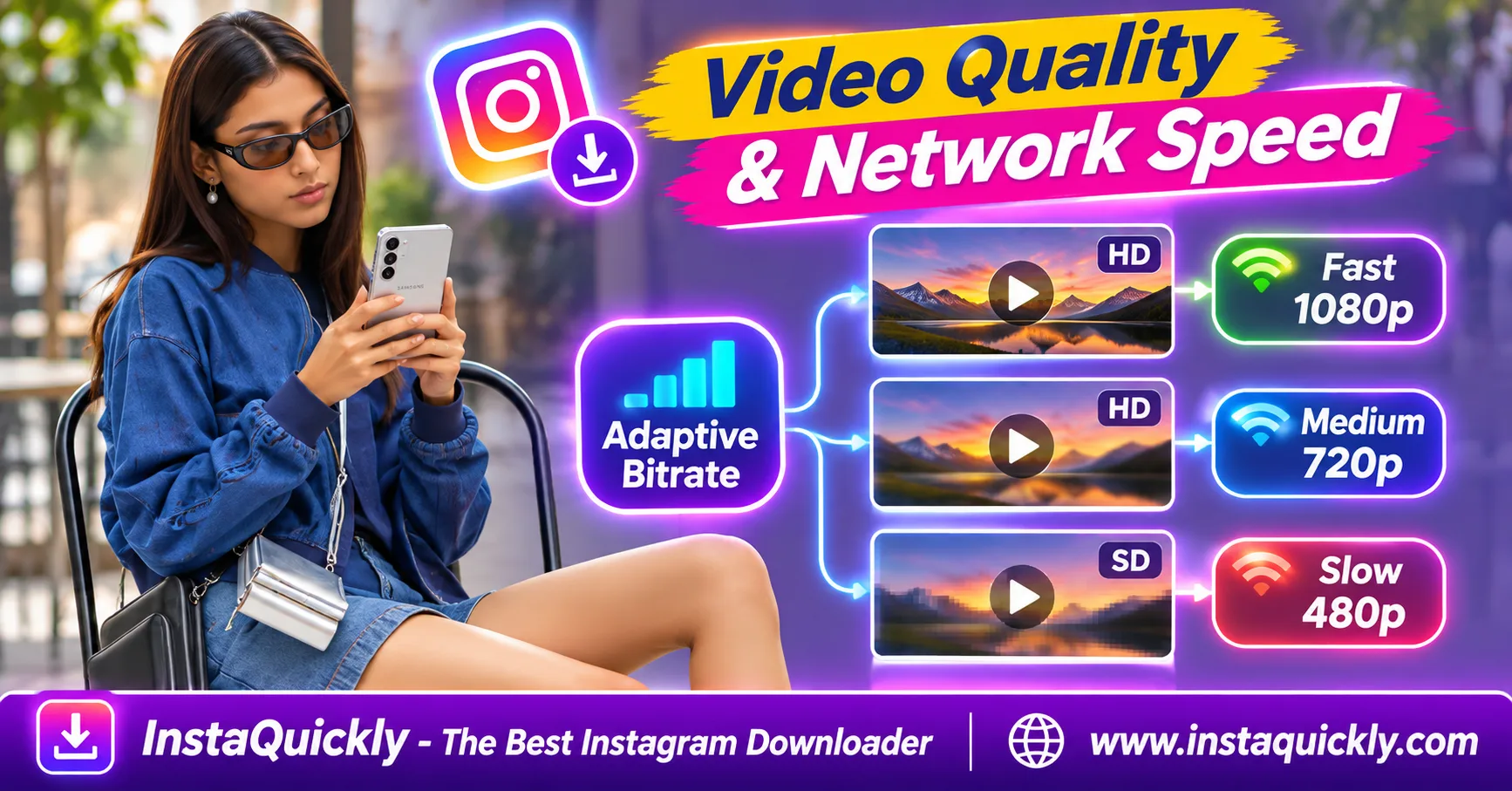
Instagram adaptive bitrate streaming (ABR) automatically adjusts video quality based on network conditions and device capabilities. When your connection slows down, Instagram may select a lower-bitrate video version to reduce buffering. When conditions improve, the player may switch to a higher-quality version.
This explains why the same Reel can look sharp on Wi-Fi but blurry on mobile data. Instagram can prepare multiple versions of a video with different bitrates, resolutions, or codecs.
However, the quality you see while streaming does not always match the MP4 you download. This guide explains how ABR works, what HLS and DASH mean, and how to investigate quality changes.
Key Takeaways
- [x] Instagram can generate multiple encoded versions of one video.
- [x] Adaptive bitrate streaming adjusts playback quality to available bandwidth.
- [x] Slow or unstable connections may trigger lower-quality playback.
- [x] Bitrate, resolution, codec, and frame rate are different properties.
- [x] Higher network speed does not guarantee the original upload quality.
- [x] DASH and HLS are streaming technologies, not video codecs.
- [x] A downloaded MP4 may differ from the video version you watched.
- [x] Compare the same Reel across networks before diagnosing quality problems.
What Is Instagram Adaptive Bitrate Streaming?
Instagram video adaptive streaming is a method for delivering videos at different quality levels. Rather than sending one fixed video version to every viewer, the platform can provide multiple encoded versions and select one that suits the current playback conditions.
How Does Adaptive Bitrate Streaming Work?
Adaptive bitrate streaming uses several versions of the same video.
Each version, often called a rendition, may have a different bitrate, resolution, codec, or other encoding properties.
The player evaluates conditions such as available bandwidth and playback performance.
It then selects a suitable version.
For example:
- A fast connection may receive a higher-quality rendition.
- A slower connection may receive a smaller rendition.
- A sudden bandwidth drop may cause a quality switch.
- Improved conditions may allow a higher-quality version later.
These decisions help balance picture quality against interruptions.
Why Does Instagram Create Multiple Video Versions?
A single original video cannot always provide the best experience for every device.
Some phones have limited decoding capabilities. Other viewers use unstable mobile networks.
Instagram therefore processes uploads into different delivery versions.
Meta explains this system in its official engineering guide to adaptive video processing.
The engineering team describes generating multiple encodings for Dynamic Adaptive Streaming over HTTP (DASH), allowing players to change versions as conditions change.
What Is a Video Rendition?
An Instagram video rendition is one encoded version of a source video.
For example, a platform could prepare a high-resolution version for strong connections and a smaller version for limited bandwidth.
The exact set of renditions differs by content and processing decisions.
A rendition is not necessarily a different Instagram post. It represents another playable encoding of the same underlying content.
Why Does Instagram Video Quality Change with Internet Speed?
Instagram video quality depends on internet speed, but not only on the maximum speed shown by a network test. Connection stability, latency, available bandwidth, buffering, and device performance can all influence playback quality.
Why Does Instagram Look Blurry on Mobile Data?
Mobile networks can change performance quickly.
Signal strength, congestion, and movement between coverage areas may reduce the bandwidth available to the player.
Instagram may then select a lower-bitrate rendition to keep the video playing.
This can make small details look softer.
Typical signs include:
- Blurry text.
- Less detail in hair or clothing.
- Visible compression blocks.
- Lower apparent sharpness.
- Quality improving after some playback time.
A blurry Reel on mobile data does not prove that the creator uploaded a low-quality video.
Can Quality Change During the Same Reel?
Yes.
Adaptive streaming can switch between encoded versions during playback.
For example, a Reel might start with a lower-quality version to begin playing quickly.
If sufficient bandwidth becomes available, the player may switch to a better version.
The opposite can happen when the connection becomes unstable.
Quality changes are not always immediate because the player must manage buffered media and avoid frequent switching.
Does Faster Wi-Fi Always Mean Better Quality?
No.
A faster connection can make higher-bitrate renditions easier to deliver, but it cannot guarantee the highest possible quality.
Other factors include:
- Available encoded renditions.
- Device decoder support.
- Screen resolution.
- Application playback decisions.
- Source-video quality.
- Video processing and compression.
A fast network cannot restore detail that was already lost during encoding.
Adaptive Bitrate vs Fixed Bitrate: What's the Difference?
Adaptive bitrate vs fixed bitrate describes two different delivery approaches. Adaptive streaming can change among prepared video qualities during playback, while a fixed-quality stream does not automatically switch to another rendition.
Streaming Quality Comparison
| Feature | Adaptive Bitrate Streaming | Fixed-Quality Streaming |
|---|---|---|
| Multiple quality renditions | Yes | Not required |
| Automatic quality switching | Yes | No |
| Responds to network changes | Yes | Limited |
| Can reduce buffering | Yes | Less flexible |
| Resolution may change | Yes | Usually remains fixed |
| Playback bitrate may change | Yes | May vary within one encoding |
| Guarantees maximum quality | No | No |
| Best for changing networks | Yes | Less suitable |
A fixed-quality stream is not necessarily encoded with constant bitrate.
Variable bitrate (VBR) can change the amount of encoded data over time even when the player stays on one rendition.
This distinction matters when analyzing streaming behavior.
Example: How Network Speed Affects Rendition Selection
The following values are illustrative examples, not official Instagram bitrate tiers.
| Example Network Condition | Possible Rendition | Example Video Bitrate | Likely Result |
|---|---|---|---|
| Limited stable bandwidth | 360p | 0.5 Mbps | Lower detail |
| Moderate bandwidth | 480p | 1 Mbps | Basic clarity |
| Good bandwidth | 720p | 2.5 Mbps | Clearer picture |
| Strong stable bandwidth | 1080p | 5 Mbps | More available detail |
Actual rendition selection also needs bandwidth headroom and enough buffered media.
A connection delivering exactly 5 Mbps may struggle with a 5 Mbps video stream because throughput changes and transfers have overhead.
Treat these numbers as a teaching example rather than Instagram delivery specifications.
How Instagram Transcoding, HLS and DASH Work Together
Instagram video transcoding creates different encoded versions from uploaded footage. Streaming technologies such as DASH organize media delivery so players can request suitable versions. HLS uses a similar adaptive-streaming concept, but its file formats and manifests differ.
What Is Video Transcoding?
Transcoding means decoding a source video and encoding it into another representation.
During this process, a platform may change:
- Resolution.
- Bitrate.
- Video codec.
- Frame rate.
- Compression settings.
- HDR or SDR handling.
For example, a source encoded with HEVC might have an H.264 or AV1 delivery version.
These versions can serve devices with different capabilities.
For details about device decoding, read how Instagram codec profiles affect playback compatibility.
Does Instagram Use DASH Streaming?
Meta publicly documents DASH-based video delivery and adaptive encoding in its infrastructure.
DASH stands for Dynamic Adaptive Streaming over HTTP.
A DASH manifest describes available media representations and how the player can access them.
During playback, the player can request media segments suitable for current conditions.
However, public engineering descriptions do not prove that every Instagram client, content type, and playback session uses exactly the same delivery path.
Does Instagram Use HLS Streaming?
HLS means HTTP Live Streaming.
It commonly uses an .m3u8 playlist to describe available streams and segments.
DASH commonly uses an .mpd manifest.
Both technologies can support adaptive streaming, but they are not video codecs.
Do not assume an Instagram Reel uses HLS simply because it plays online.
The platform's publicly documented DASH workflow is stronger evidence for its described adaptive-delivery system than a general claim that every Reel uses HLS.
Does ABR Change the Frame Rate?
It can.
Some adaptive encoding systems provide versions with different frame rates, though not every quality switch changes FPS.
A lower-bandwidth rendition may differ in resolution, bitrate, codec, or frame rate.
The available choices depend on the versions prepared by the platform.
For a deeper comparison, see how 24, 30 and 60 FPS differ.
Instagram Streaming Quality vs Downloaded MP4 Quality
An Instagram video stream vs downloaded file comparison involves two separate workflows. Streaming can change renditions while the video plays, whereas a completed MP4 is normally one specific media representation with its own resolution, bitrate, and codec.
Is a Downloaded Instagram Video Always the Highest Quality?
No.
The downloaded file represents the media version that the download method makes available.
It may not be the original uploaded recording or the highest-quality encoding stored by the platform.
Likewise, a Reel appearing blurry during one playback session does not prove that every downloadable version has the same quality.
Do not assume that a network speed change will automatically create a better download.
How to Check a Downloaded Instagram MP4
Use a supported public video that you have permission to inspect.
- Copy the public Instagram Reel URL.
- Open the Instagram Reels downloader for public videos.
- Paste the URL and review the available result.
- Save the supported MP4.
- For standard video posts, use the Instagram video downloader for public posts.
- Open the file in a trusted player.
- Check its resolution, duration, and playback quality.
- Inspect the technical properties with MediaInfo or FFprobe.
InstaQuickly cannot guarantee access to every Instagram rendition or the original camera master.
How to Inspect Resolution and Bitrate
Use this FFprobe command:
ffprobe -v error -select_streams v:0 -show_entries stream=codec_name,width,height,avg_frame_rate,bit_rate -of default=noprint_wrappers=1 input.mp4
It can report the codec, video dimensions, average frame rate, and video-stream bitrate.
Some files do not provide a reliable stream bitrate field.
In that case, estimate an overall average using file size and duration, while remembering that the file may contain both audio and video.
A higher bitrate alone does not prove better visual quality because codecs have different compression efficiency.
How to Test Whether Your Network Causes Blurry Instagram Video
To investigate Instagram video playback quality vs download quality, compare the same Reel under controlled conditions. Change one factor at a time and observe whether the picture improves, playback stalls, or the downloaded MP4 looks different.
Step-by-Step Network Comparison
- Choose one public Reel that you can view normally.
- Watch it over your usual mobile connection.
- Note visible blur, freezes, or quality changes.
- Connect the same device to stable Wi-Fi.
- Replay the same Reel under similar conditions.
- Compare the picture at the same moments.
- Test the downloaded MP4 separately if available.
- Record which conditions produce the problem.
This test can reveal patterns, but it does not prove the exact rendition selected by Instagram.
Caching, automatic playback decisions, and app settings can influence the results.
What If Both Wi-Fi and Mobile Data Look Blurry?
Check whether the source video is already compressed.
Other possible causes include:
- Low-resolution uploads.
- Strong video compression.
- Incorrect scaling.
- Unsupported HDR handling.
- Device display limitations.
- Low-quality editing exports.
Try another video on the same device.
If all videos look poor, the issue may involve the phone, app, or connection rather than one Instagram post.
Why Is Instagram Video Quality Still Bad? Common Limitations
Adaptive streaming can improve playback reliability, but it cannot solve every quality problem. Low-quality source footage, device decoding issues, and repeated compression can still produce blurry or choppy video on a fast connection.
Common Problems and Fixes
- Blurry on mobile data: Test stable Wi-Fi and review available data-saving settings.
- Quality changes mid-video: Observe whether the connection is unstable.
- Video freezes frequently: Check connection reliability and device performance.
- Downloaded MP4 looks softer: Inspect resolution, codec, and bitrate.
- Fast motion looks choppy: Check frame timing and the available rendition.
- HDR looks washed out: Check device HDR support and color handling.
- One Reel is always blurry: Compare it with other Reels before blaming the network.
Avoid assuming that every quality problem comes from Instagram's adaptive bitrate logic.
The source encoding may already contain visible defects.
Can Users Force Instagram to Stream at Maximum Quality?
There is no universal setting that guarantees the highest rendition for every Instagram video.
Some app versions and accounts provide data-usage or media-quality controls, but these do not override every playback decision.
A better approach is to:
- Use a stable connection.
- Disable applicable data-saving restrictions when appropriate.
- Keep the app updated.
- Check the quality of your own uploaded source.
- Compare local playback with streaming playback.
Even with these changes, the platform still controls which media versions it delivers.
Frequently Asked Questions About Instagram Adaptive Bitrate Streaming
What is Instagram adaptive bitrate streaming?
It is a video delivery method that selects among encoded quality versions based on playback conditions. It helps Instagram balance image quality and buffering.
Why does Instagram video quality change automatically?
The player may select a different rendition when bandwidth or playback conditions change. Device compatibility and available encoded versions also matter.
Why does Instagram look blurry on mobile data?
Mobile bandwidth can fluctuate. Instagram may use a lower-bitrate rendition to keep playback running instead of stopping repeatedly.
Does Instagram use HLS or DASH streaming?
Meta publicly documents DASH-based adaptive streaming. HLS is another adaptive-streaming technology, but that does not prove every Instagram session uses HLS.
What is the difference between an Instagram stream and an MP4 download?
Streaming can switch among renditions during playback. A downloaded MP4 usually contains one specific media representation with fixed encoded properties.
Does faster Wi-Fi guarantee 1080p Instagram playback?
No. Higher bandwidth may help, but available renditions, device support, source quality, and platform decisions still affect what you see.
Can Instagram change video resolution while playing?
Yes. Adaptive streaming can switch between versions with different resolutions when suitable renditions are available.
Can a downloaded Instagram MP4 be better than the streamed version?
Yes, in some cases. A downloaded file may have different quality from the rendition selected during a particular streaming session. Neither version is guaranteed to be the original upload.
Conclusion: Instagram Video Quality Depends on More Than Speed
Instagram adaptive bitrate streaming helps videos play across changing networks by selecting suitable encoded versions. When bandwidth drops, Instagram may show a lower-quality rendition to reduce buffering. When conditions improve, a clearer version may become available.
However, network speed is only one factor. Video encoding, codec support, device performance, and source quality also affect what viewers see.
For a practical comparison, watch the same Reel on Wi-Fi and mobile data, then inspect an authorized downloaded MP4 separately. Use InstaQuickly for supported public downloads while remembering that no single download proves the quality of every available rendition.
Download, inspect, and reuse Instagram videos only when permitted. Respect copyright, creator rights, music licenses, and account privacy.
InstaQuickly is independent and is not affiliated with or endorsed by Instagram or Meta.