
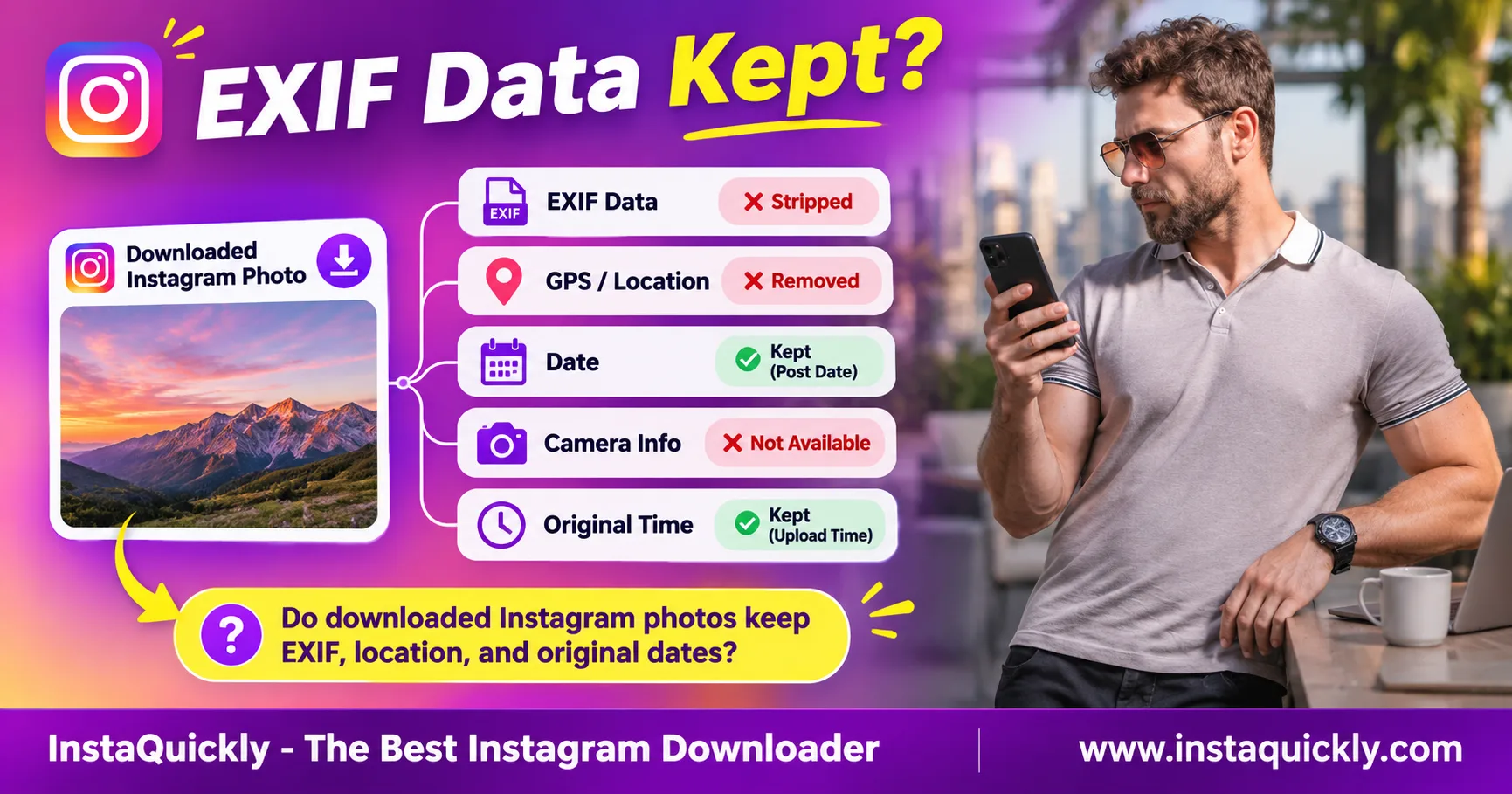
Instagram photo download metadata usually does not include the original camera EXIF data, GPS coordinates, or capture date. Instagram commonly processes photos before displaying them, so a downloaded copy may contain fewer details than the original image.
However, this is not a guarantee for every file or download method. A photo can also show a new download date without revealing when the creator actually took it.
This guide explains what metadata Instagram photos may contain, how to check EXIF on iPhone, Android, Windows, and Mac, and how to protect your own location information before sharing images.
Do Downloaded Instagram Photos Keep Original EXIF Metadata?
Downloaded Instagram photos commonly lose much of the EXIF metadata from their original camera files. This often includes camera settings, GPS coordinates, and the date the photo was taken. However, metadata removal can vary by file and processing method.
Always inspect the actual downloaded image before drawing conclusions.
What Is EXIF Data in an Instagram Photo?
EXIF stands for Exchangeable Image File Format. It is a standard used to store information about photographs and the devices that captured them.
A camera or smartphone may add details such as:
- Camera manufacturer and model.
- Date and time of capture.
- GPS latitude and longitude.
- Exposure time.
- ISO sensitivity.
- Aperture.
- Focal length.
- Image orientation.
- Camera software information.
Not every photo contains all these fields.
For example, a screenshot may contain different metadata from a photograph taken with a smartphone camera.
Editing and exporting an image can also change or remove its EXIF information.
Does Instagram Remove EXIF Data When You Upload Photos?
Does Instagram remove EXIF data? In ordinary public image delivery, Instagram commonly serves processed copies without much of the original EXIF information.
However, Instagram has not provided a universal field-by-field guarantee covering every image format, upload workflow, and download method.
This distinction matters because the file uploaded to Instagram and the image later delivered to viewers are not necessarily identical.
Instagram may receive metadata during upload even when that information does not appear in a public image copy.
Do not rely on Instagram alone to remove private metadata.
Can You Recover Original EXIF from an Instagram Download?
Usually not when the downloaded file no longer contains those fields.
An EXIF viewer can read information that exists inside an image. It cannot recreate an original capture date or GPS coordinate that has been removed.
For example, if a downloaded JPG contains no DateTimeOriginal field, a metadata reader cannot determine the exact camera capture time from that file alone.
The creator's original camera file may still contain the information.
If you own the photo, check your original camera roll, cloud backup, or editing project instead.
Instagram EXIF, GPS and Image Metadata Compared
Instagram image metadata explained: A downloaded image can contain technical file information even when its original camera EXIF fields are missing. Pixel dimensions, file format, and file creation timestamps are different from GPS coordinates or original capture dates.
Use the following comparison to understand what each field means.
Original Photo vs Downloaded Instagram Image
| Metadata Field | Original Camera Photo | Downloaded Instagram Photo |
|---|---|---|
| Pixel width and height | Usually Yes | Usually Yes |
| File format | Yes | Yes |
| File size | Yes | Yes |
| Camera make and model | Often Yes | Commonly removed |
| Lens information | Sometimes | Commonly removed |
| ISO and exposure settings | Often Yes | Commonly removed |
| Original capture date | Often Yes | Commonly removed |
| GPS coordinates | If location recording enabled | Commonly removed |
| Download or file creation date | Not applicable to original capture | Usually available from device |
| Instagram post date | Separate platform information | Not normally embedded as original EXIF |
| Instagram location tag | Separate platform information | Not necessarily present in image metadata |
These are common outcomes, not guaranteed results for every Instagram image.
An original image may also lack GPS information if the camera's location setting was disabled.
Is EXIF the Same as All Image Metadata?
No. EXIF is one type of image metadata.
Other metadata systems include IPTC and XMP, which can describe authorship, copyright, editing information, and other details.
A file can contain technical metadata without containing the original camera EXIF fields.
For example, a downloaded image may still have:
- Pixel dimensions.
- Color information.
- File format details.
- Encoding information.
- Software identifiers.
Do not assume that "EXIF removed" means the file contains absolutely no metadata.
Does Instagram Preserve Copyright or AI Metadata?
Not always. Metadata handling can differ by field and media-processing workflow.
Some image files may contain IPTC copyright information or AI-related provenance signals. However, those fields are not guaranteed to survive every upload and download process.
A missing metadata field also does not remove copyright ownership.
The creator may still own the photograph even if the downloaded file contains no author name.
Use original files and reliable records when you need proof of authorship or image history.
Do Downloaded Instagram Images Contain GPS Location Data?
Instagram downloaded image location metadata usually does not contain the original GPS coordinates in publicly served image copies. However, Instagram location tags, visible landmarks, and other account information can still reveal where a photo was taken.
GPS metadata and visible location information are different.
Can Someone Find GPS Coordinates from an Instagram Photo?
Instagram photo GPS location data can exist in the original camera file when location recording is enabled.
For example, a smartphone photograph may contain:
GPSLatitude
GPSLongitude
GPSAltitude
These fields can describe where the camera recorded the photo.
However, publicly downloaded Instagram images commonly lack the original coordinates.
If the GPS fields are absent, a normal EXIF viewer cannot read them from that file.
This does not prove that no location information exists elsewhere.
Is an Instagram Location Tag the Same as EXIF GPS?
No. An Instagram location tag is information associated with the post.
It is separate from the GPS metadata embedded inside the original image file.
For example, a creator might tag a restaurant in a post even when the photograph contains no GPS coordinates.
The opposite can also happen: a camera photo may contain GPS coordinates even though its Instagram post has no visible location tag.
Meta explains that location-tagged Instagram posts may appear on Instagram Map in its official introduction to new Instagram features.
That article discusses location sharing and tagged content. It does not guarantee that public image files retain or remove every EXIF field.
Can a Photo Reveal Location Without GPS Metadata?
Yes. A photograph can reveal location through visible details.
For example:
- Street signs.
- Business names.
- Building addresses.
- Vehicle registration plates.
- Distinctive landmarks.
- Reflections showing nearby places.
- Text added to the image.
- Location information in the post caption.
Removing GPS metadata does not remove these clues.
For sensitive photographs, inspect both the hidden metadata and visible image content before publishing.
Instagram Original Date vs Download Date: What's the Difference?
An Instagram image original date is the time the camera captured the photo, when that information exists. A downloaded file may instead show the date your browser or operating system created the local copy.
These dates should not be treated as interchangeable.
What Does DateTimeOriginal Mean?
DateTimeOriginal is an EXIF field commonly used to record when a camera captured an image.
For example:
DateTimeOriginal: 2024:06:15 14:30:00
This suggests the camera recorded the photograph on June 15, 2024.
However, camera clocks can be incorrect, and EXIF timestamps can be edited.
The field may also lack timezone information.
Therefore, even an available DateTimeOriginal value is not absolute proof of when a photograph was taken.
Why Does a Downloaded Instagram Photo Show Today's Date?
An Instagram downloaded photo timestamp may show the date your device saved the local file.
For example, a creator may publish a photograph from 2022, but you download it in 2026.
Your computer might show:
- Date created: November 7, 2026.
- Date modified: November 7, 2026.
- Original capture date: Unavailable.
These dates describe the downloaded file, not necessarily the original photograph.
Browsers and operating systems can also assign timestamps differently.
Do not use the local file creation date as evidence of when the creator took the photo.
Is Instagram's Post Date the Original Capture Date?
No. Instagram's post date tells you when the content was published, not necessarily when the image was captured.
A photographer can upload an image several years after taking it.
For example:
- Photo taken: July 2021.
- Photo posted: January 2025.
- Photo downloaded: November 2026.
All three dates can be correct.
This distinction is essential when examining old photographs, creator archives, and historical content.
Original Date, Upload Date and Download Date Compared
| Date Type | What It Describes | Typical Source | Proves Capture Time? |
|---|---|---|---|
| DateTimeOriginal | Camera capture time | Original EXIF | Not conclusively |
| DateCreated / IPTC | Creation information | Image metadata | Not necessarily |
| Instagram post date | Time content was posted | No | |
| Local file creation date | Time local file was created | Operating system | No |
| Local file modified date | File modification time | File system | No |
| Browser download time | When download completed | Browser history | No |
| Screenshot date | When screenshot was taken | Screenshot file | No |
A date displayed by your device is not automatically the original photo date.
How to Check Instagram Photo Metadata on iPhone, Android and Desktop
To check Instagram photo download metadata, download an accessible image and inspect the saved file using your device's information panel or a trusted EXIF viewer. Look for original capture time, camera model, and GPS fields separately.
Do not rely only on the filename or date shown in Gallery.
How Do You Download an Instagram Photo for Metadata Inspection?
- Open the public Instagram photo you have permission to save.
- Tap Share and select Copy Link.
- Visit the Instagram photo downloader for public images.
- Paste the post URL.
- Review the available image files.
- Save the appropriate image.
- Open the file in your device's file manager.
- Check its extension, size, and pixel dimensions.
- Inspect its available metadata fields.
InstaQuickly provides a browser-based workflow for supported public photo media.
However, it cannot guarantee access to the original camera file or recover EXIF metadata that is absent from the available image.
How Do You Check EXIF Data on iPhone?
- Open the Files app.
- Find the downloaded photo.
- Save it to Photos if you want to inspect it there.
- Open the image in Photos.
- Tap the information button or swipe up.
- Check the displayed date, dimensions, and available camera information.
- Look for a location map when location information exists.
Apple Photos may display some file information without showing every EXIF field.
For detailed metadata, use a trusted EXIF inspection application.
Remember that a date displayed in Photos may come from the local file rather than the original camera capture.
How Do You View Instagram Photo EXIF on Android?
- Open Files, Gallery, or Google Photos.
- Find the downloaded image.
- Open the photo.
- Tap Details, Info, or the equivalent control.
- Check image dimensions and file size.
- Look for camera or date information.
- Check whether a location field exists.
- Use a trusted EXIF viewer when you need more detail.
Android applications may display different metadata fields.
For example, one gallery might show only the local file date, while another metadata application displays detailed EXIF tags.
Do not conclude that GPS exists merely because Gallery displays a location name from another source.
How Do You Check Photo Metadata on Windows or Mac?
On Windows:
- Open File Explorer.
- Find the downloaded image.
- Right-click the file.
- Select Properties.
- Open the Details tab.
- Inspect the available camera, date, and image fields.
On Mac:
- Open Finder.
- Locate the image.
- Open it in Preview.
- Choose Tools > Show Inspector.
- Check the available information and EXIF tabs.
For more detailed analysis, a trusted metadata reader can show individual tags such as DateTimeOriginal, Make, Model, and GPS coordinates.
How Do You Use an Instagram Photo EXIF Viewer Safely?
Choose an Instagram photo EXIF viewer that can inspect local files.
For private photographs, prefer tools that process images on your device rather than uploading them to an unknown website.
Check for these fields:
DateTimeOriginalCreateDateModifyDateMakeModelGPSLatitudeGPSLongitudeSoftware
If the fields are missing, record them as unavailable.
Do not let an EXIF viewer's automatically assigned download timestamp mislead you into thinking it discovered the original capture date.
Why Is Instagram Photo EXIF Missing or Incorrect?
Missing EXIF fields do not necessarily mean the download failed. Instagram may provide a processed image that does not contain the original camera metadata, while your browser and device can add new file timestamps.
Find out whether the missing information ever existed in the available source.
Why Is the Original Camera Date Missing?
The original capture date may be absent because:
- Instagram provided a processed image.
- The creator exported the photo without EXIF.
- An editing application removed metadata.
- The photo came from a screenshot.
- The file was converted to another format.
- The original camera never recorded the field.
- You downloaded a thumbnail rather than a camera original.
A metadata reader cannot restore fields that are no longer present.
For your own photography, return to the original camera file or cloud backup.
Why Does a Downloaded Photo Have the Wrong Date?
The displayed date may represent:
- Local download time.
- Last modification time.
- Export time.
- Screenshot creation time.
- A timestamp with incorrect timezone information.
Compare the file-system date with any available embedded EXIF fields.
Do not change timestamps until you understand what they represent.
If you need to organize your own photo archive, keep separate records for capture date, publication date, and backup date.
Can Changing Image Formats Recover Missing EXIF?
No. Converting JPG to PNG or WebP cannot recreate GPS coordinates or original dates that are absent from the source.
A format conversion may preserve some existing metadata, remove it, or create new software-related fields.
It does not automatically reconstruct missing camera information.
For more information about how processing changes downloaded images, read why Instagram photo dimensions and quality change.
Resizing and compression can change the file without revealing what metadata existed in the original upload.
How to Protect Photo Location and Metadata Privacy
The safest approach is to remove sensitive metadata from your own image before uploading it. Instagram commonly strips camera information from public image copies, but that does not guarantee the platform never receives the original metadata.
Protect the file before sharing, not only after downloading it.
How Do You Remove GPS Data Before Uploading?
- Open your original photo.
- Check whether it contains location coordinates.
- Make a separate copy for sharing.
- Use a trusted photo editor or metadata-removal tool.
- Remove GPS and other sensitive fields.
- Save the cleaned image.
- Inspect the cleaned file again.
- Confirm that sensitive fields are absent.
- Upload the cleaned copy to Instagram.
- Keep your private original in a secure backup.
Removing metadata does not erase visible locations from the photograph.
Check the picture itself for sensitive signs, addresses, or other identifiable details.
Can Instagram Still Know Location Information?
Potentially, yes.
The absence of GPS coordinates in a publicly downloaded image does not prove that Instagram received no location-related information.
Location can also come from device permissions, account activity, network information, or manually added tags.
These sources are separate from the EXIF fields inside a saved JPG.
Review Instagram's location-sharing settings and your device's permissions when privacy matters.
Does Downloading Someone's Photo Notify Them?
Instagram does not normally send a personal alert identifying someone who downloads an ordinary public photo.
However, platform interactions and website requests can still create other activity records.
A missing notification is not the same as complete anonymity.
Read what Instagram creators can see about downloads for a more detailed explanation.
Can You Recover Original Metadata from a Profile Picture?
Not reliably.
A profile picture may be available only in processed or resized image versions.
Even if a larger avatar image is accessible, it does not guarantee the original camera EXIF fields.
For supported public profile images, you can check the Instagram profile picture downloader for avatars.
Inspect the actual image file rather than assuming that a higher resolution means original metadata survives.
Frequently Asked Questions About Instagram Photo Metadata
Do downloaded Instagram photos contain EXIF data?
They commonly lack much of the original camera EXIF data, including capture settings, GPS, and the original date.
However, technical file metadata may remain. Inspect the downloaded image because Instagram does not guarantee identical handling for every file.
Does Instagram remove GPS location from photos?
Publicly served Instagram photo copies commonly lack original GPS coordinates.
However, this does not mean Instagram never receives location information. Visible location tags and other location-related data are separate from EXIF GPS.
Can I find the original date an Instagram photo was taken?
Not reliably from a downloaded Instagram image when the original DateTimeOriginal field is missing.
The Instagram post date and local download date do not necessarily match the camera capture date.
Why does a downloaded Instagram photo show today's date?
Your browser or operating system may assign a new creation or download timestamp when saving the file.
That date describes the local copy, not necessarily the original photograph.
Can an EXIF viewer recover a deleted GPS location?
No. An EXIF viewer reads metadata that exists in the file.
If the downloaded image contains no GPS fields, the tool cannot reconstruct the original coordinates from missing metadata.
Does higher Instagram photo resolution preserve more EXIF?
Not necessarily. Image resolution and metadata are separate properties.
A large JPG may contain no camera information, while a smaller image may preserve some metadata. Inspect the specific file to know what remains.
Is the location tag on Instagram the same as camera GPS?
No. A location tag is information attached to the Instagram post.
Camera GPS is metadata that may exist inside the original image file. The two can describe different places.
Can InstaQuickly download photos with original EXIF metadata?
InstaQuickly can retrieve available public photo media, but it does not guarantee the original camera file or its EXIF metadata.
If camera details, GPS, or capture dates are missing from the available image, downloading it cannot automatically restore them.
Conclusion: Check the Actual Image, Not Just Its Download Date
Instagram photo download metadata commonly lacks original EXIF details such as camera settings, GPS coordinates, and capture dates. A downloaded photo may still contain technical file information or show a new date created by your device.
Use a trusted EXIF viewer to inspect the specific image. Do not confuse the original capture date with the Instagram publication date or your local download time.
For your own photos, preserve the camera originals and remove sensitive metadata before uploading.
Try InstaQuickly's Instagram Photo Downloader for supported public images you have permission to save.
Save public Instagram images for permitted personal research or educational use. Respect privacy and obtain the required rights before republishing or commercially using another creator's photographs.
InstaQuickly is an independent service and is not affiliated with or endorsed by Instagram or Meta.