
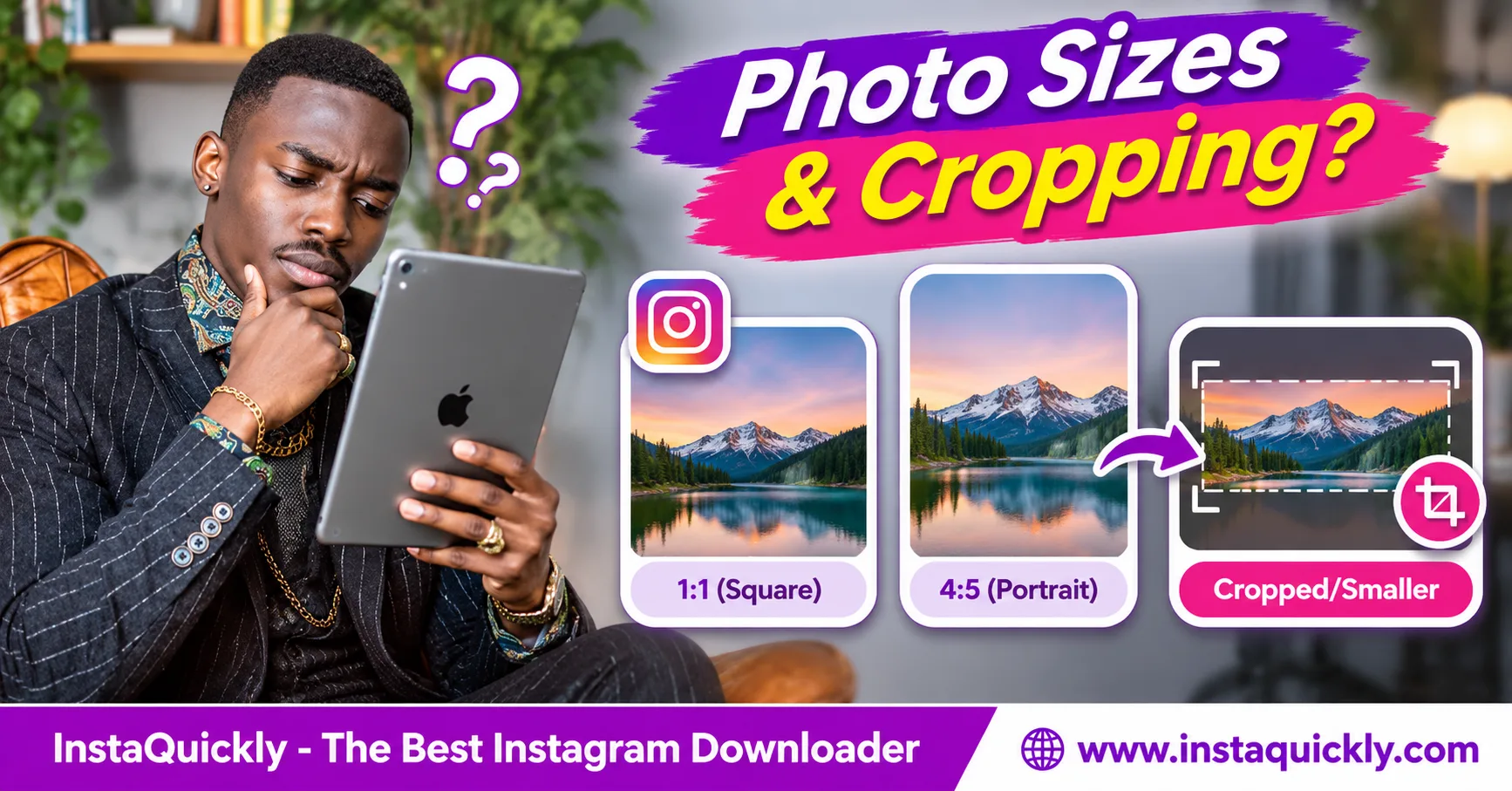
Instagram photo download size depends on the image version Instagram makes available, its aspect ratio, and any resizing or compression applied after upload. A downloaded photo may have fewer pixels than the original camera image, and some pictures may appear cropped.
Instagram supports several feed photo shapes, including square 1:1, portrait 4:5, taller portrait 3:4, and landscape formats. However, supported dimensions do not guarantee that every download contains the original file.
This guide explains Instagram photo resolution, cropping, image compression, and how to check the best available download quality. You will also learn how to protect your own original pictures.
What Determines Instagram Photo Download Size?
The size of an Instagram photo download depends on the accessible image file, not just the dimensions of the original upload. Instagram can create resized or compressed versions for display, while a downloader may retrieve one of those available versions.
Three technical factors explain most differences.
What Is the Difference Between Image Size, Resolution, and Aspect Ratio?
Image size can mean pixel dimensions or file size, but these measurements describe different properties.
Use these definitions:
- Pixel dimensions: Image width and height, such as 1080 × 1350 pixels.
- Resolution: The amount of pixel detail in a digital image.
- Aspect ratio: The relationship between image width and height.
- File size: Storage space used by the image, such as 350 KB or 2 MB.
- Compression: A method for reducing the data needed to store an image.
For example, two photos can both measure 1080 × 1080 pixels but have very different file sizes.
One may contain detailed textures, while the other has a simple background.
Their visual quality can also differ because of compression.
Does Instagram Keep the Original Uploaded Image?
Not necessarily. Instagram can process uploaded photos and provide versions suitable for its viewing interface.
For example, you might upload a photograph measuring 4032 × 3024 pixels.
Instagram may provide an accessible copy measuring 1080 × 810 pixels instead.
Both images have the same 4:3 aspect ratio, but the smaller version contains fewer pixels.
The downloaded copy is therefore not identical to the original camera file.
A downloader cannot guarantee access to an original file that Instagram does not make available.
Why Can Two Downloads of the Same Photo Have Different Sizes?
Different download methods may retrieve different available image versions.
A screenshot captures what your screen displays. A browser may load a smaller preview, while another available source may contain a larger image.
For example:
- Screenshot: Limited by the screen and displayed image area.
- Thumbnail: Designed for small previews.
- Larger web image: May preserve more pixel detail.
- Original camera file: May contain much more data than Instagram's available copies.
Do not judge download quality only by the file's size in megabytes.
Check actual pixel dimensions and visible detail.
Instagram Photo Aspect Ratios and Pixel Dimensions Explained
Instagram photo aspect ratio describes the shape of an image. Instagram feed photos support several shapes, including square, portrait, and landscape. The chosen crop and source dimensions determine how much of the original image appears in the post.
Instagram added support for 3:4 photos in 2025, so older 4:5-only guidance is incomplete.
What Are the Common Instagram Photo Dimensions?
| Photo Type | Aspect Ratio | Example Size | Typical Use |
|---|---|---|---|
| Square | 1:1 | 1080 × 1080 px | Square feed photos |
| Portrait | 4:5 | 1080 × 1350 px | Vertical feed images |
| Tall portrait | 3:4 | 1080 × 1440 px | Common phone camera photos |
| Landscape | 1.91:1 | 1080 × 566 px | Wide feed images |
| Landscape | 4:3 | 1080 × 810 px | Standard camera landscapes |
| Story image | 9:16 | 1080 × 1920 px | Full-screen Stories |
These values are practical dimensions for understanding image shapes. They are not guaranteed downloadable resolutions.
The Story format also differs from a standard feed post.
What Is the Instagram Square Image Size?
The common Instagram square image size is 1080 × 1080 pixels, with a 1:1 aspect ratio.
Both sides have equal length.
Square images work well for:
- Product photographs.
- Logos and simple graphics.
- Illustrations.
- Balanced compositions.
- Images with centered subjects.
A 1080 × 1080 image contains 1,166,400 pixels.
However, Instagram may still process or compress the file when you upload it.
Downloading the published image does not guarantee that you receive an identical copy of your original square design.
What Are Instagram Portrait Photo Dimensions?
Common Instagram portrait photo dimensions include 1080 × 1350 pixels for 4:5 images and 1080 × 1440 pixels for 3:4 images.
The 3:4 ratio is particularly useful because many smartphone cameras capture photographs in that shape.
Instagram introduced native 3:4 photo support in May 2025.
Previously, a standard 3:4 camera photo often needed cropping to fit the taller feed options available at the time.
Current support can preserve the full 3:4 framing in compatible single-photo posts and carousels.
However, display previews and profile grid thumbnails may still crop the image.
What Is the Instagram Landscape Photo Resolution?
Instagram landscape photo resolution describes the pixel dimensions of a horizontally oriented image.
For example:
- 1080 × 810 pixels uses a 4:3 ratio.
- 1080 × 608 pixels is close to 16:9.
- 1080 × 566 pixels is approximately 1.91:1.
Landscape images show more horizontal space, making them useful for travel photographs, architecture, and group pictures.
The original image may still contain more pixels than Instagram's available version.
Choose the supported crop that preserves your subject rather than forcing every landscape photo into a square.
Why Are Instagram Photos Cropped After Downloading?
An Instagram photo cropped after saving problem may originate during upload, in a profile thumbnail, or in the downloadable image version. Cropping removes part of the picture's visible frame, while resizing changes its dimensions without necessarily removing content.
Identify the stage where the crop appeared.
Why Does Instagram Crop Photos During Upload?
Instagram may crop a picture when the selected framing does not match the supported shape for that posting surface.
For example, a 9:16 photograph may not fit the same way in a standard feed post as it does in a Story.
Instagram can ask you to adjust the crop or choose another supported shape.
A crop may remove content from the top, bottom, or sides.
If the published image already excludes that content, downloading it cannot recover the missing area.
For your own post, return to the original camera photo when you need the complete frame.
Why Does a Photo Look Cropped in the Instagram Profile Grid?
The profile grid shows previews that do not always match the full image's aspect ratio.
A portrait or landscape photograph may appear cropped in its grid tile but display more of the picture when you open the post.
This is an important difference.
A cropped thumbnail does not prove that Instagram permanently cropped the published photo.
Check the individual post before saving a preview or screenshot.
If you download only a thumbnail, you may receive its cropped framing instead of the larger post image.
Why Do Carousel Images Sometimes Look Cropped?
Carousels can apply shared framing or layout rules to multiple slides, depending on the current Instagram editing options.
For example, you might combine:
- A square product photo.
- A tall portrait photograph.
- A wide landscape image.
The selected carousel layout may not preserve every original shape in the same way.
Some images can appear cropped or adjusted to fit.
Check each slide before publishing.
If the source carousel has already applied a crop, a downloader cannot restore the original missing pixels.
Instagram Photo Compression Explained: Why Files Get Smaller
Instagram photo compression explained: Compression reduces the data needed to store and deliver a picture. Instagram may resize and recompress images to support efficient viewing, which can make downloaded files smaller than the original uploads.
A smaller file is not always visibly worse, but strong compression can reduce fine detail.
What Happens When Instagram Compresses a Photo?
Compression can remove or simplify some image information to reduce storage and delivery costs.
You may notice:
- Soft edges around detailed objects.
- Reduced texture in hair or fabric.
- Blocks around complex patterns.
- Color changes in smooth gradients.
- Less detail after repeated editing and saving.
These effects depend on the image and compression settings.
A large source file may become much smaller after Instagram processes it.
This does not necessarily mean the image was cropped.
Cropping, resizing, and compression are separate operations.
Does Instagram Always Reduce Photos to 1080 Pixels?
Not every Instagram image uses one fixed size. However, 1080 pixels is a common reference width for standard feed photos.
For example, a 3:4 image at 1080 pixels wide measures 1080 × 1440 pixels.
A 4:5 image at the same width measures 1080 × 1350 pixels.
The height depends on the aspect ratio.
Instagram may also provide different image versions for previews and different devices.
Therefore, avoid promising that every download will be exactly 1080 pixels wide.
Does Converting JPG to PNG Improve Instagram Photo Quality?
No. Converting a compressed JPG to PNG does not restore detail already lost during compression.
PNG uses lossless compression for the image data it receives, but it cannot recreate the original camera pixels.
Similarly, changing the filename extension does not perform a real format conversion.
Use a compatible image editor when you need a genuine JPG, PNG, or WebP conversion.
For your own content, preserve the source file before Instagram processes it.
JPG vs PNG vs WebP: Which Is Best for Downloaded Photos?
| Feature | JPG / JPEG | PNG | WebP |
|---|---|---|---|
| Common use | Photography | Graphics and logos | Web images |
| Lossy compression | Yes | No | Supported |
| Lossless compression | No | Yes | Supported |
| Transparency | No | Yes | Yes |
| Broad compatibility | Yes | Yes | Modern devices |
| Small file potential | Good | Depends on image | Often good |
| Restores lost details | No | No | No |
| Guarantees original upload | No | No | No |
For ordinary photos, JPG can provide useful quality with compact files.
For graphics with sharp text or transparent backgrounds, PNG may be more suitable.
WebP supports efficient encoding but may require conversion for older software.
The format alone does not determine whether the downloaded image matches the original.
How to Download Instagram Photos in the Best Available Quality
To get the best available Instagram photo download size, copy the exact public post URL and use a compatible downloader. Choose the largest accessible image version rather than relying on a screenshot or thumbnail.
Then inspect the saved file's pixel dimensions.
How Do You Download an Instagram Photo with InstaQuickly?
- Open Instagram on your phone or computer.
- Find the public photo you have permission to save.
- Open the individual post.
- Tap Share and select Copy Link.
- Visit the Instagram photo downloader for public images.
- Paste the post URL into the input field.
- Click or tap Download.
- Review the available image results.
- Select the best available image option.
- Save the file to your device.
- Open the downloaded image and inspect its dimensions.
InstaQuickly works through compatible browsers without requiring an Instagram login.
However, the available file depends on the source. It cannot guarantee the creator's original upload or restore pixels removed by cropping.
How Do You Check a Downloaded Photo's Resolution?
Check the saved file's width and height rather than its visual preview alone.
On Android:
- Open Files, Gallery, or Google Photos.
- Find the downloaded image.
- Open the file details or information panel.
- Read its width and height in pixels.
On iPhone:
- Open the downloaded image in Photos, if available.
- Tap the information button.
- Check the displayed dimensions and file information.
On Windows or Mac, use the file properties or an image viewer's information panel.
For example, a 1080 × 1350 image has a 4:5 aspect ratio.
A 1080 × 1440 image has a 3:4 aspect ratio.
How Can You Download a Full Instagram Carousel?
A carousel may contain several images or a mixture of photos and videos.
The post usually uses one URL for the entire collection.
To inspect the available slides:
- Open the public carousel post.
- Copy its URL.
- Paste it into InstaQuickly's Photo Downloader.
- Review the returned items.
- Select the images you have permission to save.
- Download the available files.
- Check each image's dimensions separately.
Do not assume that every slide has the same resolution or that every post provides a ZIP archive.
The available options depend on the source and tool.
For help recognizing the URL, read how to copy the correct Instagram post link.
Is a Profile Picture Download the Same as a Feed Photo Download?
No. A profile picture and a feed photo use different Instagram surfaces and may provide different image versions.
For avatars, use the Instagram profile picture downloader for avatars.
For regular photo posts and carousels, use the Photo Downloader.
A larger-looking avatar preview does not guarantee an original high-resolution photograph.
Select the tool that matches the type of image you need.
How to Fix Instagram Photos That Look Cropped or Blurry
If your Instagram image size after download looks wrong, compare the saved image with the full post and the original file when available. Check whether you downloaded a thumbnail, selected a cropped preview, or received a resized source.
Do not enlarge the file before identifying the problem.
How Do You Fix an Instagram Photo That Looks Cropped?
- Open the original Instagram post.
- View the full image rather than its profile grid thumbnail.
- Check whether the image appears cropped in the published post.
- Copy the individual post URL.
- Download another available image version when supported.
- Compare the downloaded framing with the full post.
- Check the aspect ratio and pixel dimensions.
- Use your original camera file if the published image was already cropped.
If Instagram removed part of the image during posting, downloading it again will not recover the missing content.
For your own photographs, return to the original file and publish a compatible crop.
Why Does My Downloaded Instagram Photo Look Blurry?
Common causes include:
- A small source image.
- Heavy image compression.
- A low-resolution thumbnail.
- Upscaling beyond the file's native dimensions.
- Repeated editing and re-encoding.
- A blurry original photograph.
- Strong sharpening or noise reduction.
For example, enlarging a 320 × 320 image to 1080 × 1080 does not add genuine camera detail.
It creates more output pixels from limited source information.
Choose the highest accessible version and view it at 100% zoom before judging its quality.
Can AI Upscaling Restore the Original Instagram Image?
AI tools can create a larger and sharper-looking image, but they cannot guarantee recovery of the original pixels.
Upscaling may generate new texture or change details.
This matters for faces, text, product labels, and logos.
For visual design, AI enhancement may be useful when accuracy is not critical.
For professional records or brand assets, use the original photograph whenever possible.
Instagram Original Image vs Downloaded Image: Best Practices
An Instagram original image vs downloaded image comparison should consider pixel dimensions, aspect ratio, compression, and the actual visible frame. A downloaded photo may look similar to the original while containing fewer pixels or different encoding.
Creators should keep their original files outside Instagram.
How Can Creators Prevent Unwanted Cropping?
Choose a supported aspect ratio before publishing.
For most feed-photo workflows, practical options include:
- 1:1 for square compositions.
- 4:5 for vertical feed designs.
- 3:4 for tall photographs from phone cameras.
- 4:3 for horizontal camera photos.
- Approximately 1.91:1 for very wide landscape images.
Check the preview before posting, especially when using a carousel.
Leave important text and subjects away from edges that might disappear in profile grid previews.
Meta has documented Instagram's support for non-square photo publishing in its official announcement about portrait and landscape photos.
The platform later expanded native photo support to include 3:4 images.
How Should You Back Up Your Original Instagram Photos?
Create a backup before uploading images to Instagram.
Use a simple workflow:
- Keep the original camera image.
- Create an edited version for Instagram.
- Export it at a suitable aspect ratio.
- Save a copy of the edited file.
- Upload the edited image.
- Check the published result.
- Keep the original and edited files in separate folders.
For example:
Instagram_Photos/Originals/
Instagram_Photos/Edited/
Instagram_Photos/Published/
This gives you a clean source when you want to reuse or redesign your own content.
Does Saving an Instagram Post Preserve Its Full Resolution?
No. Instagram's Save feature creates a bookmark inside the app rather than saving a full-resolution image to your device.
It does not create a normal JPG or PNG file in your Downloads folder.
If you need a permitted local image copy, use a suitable download or export option.
Read how Instagram saved posts differ from downloads for details.
A bookmark is useful for returning to a post, but it does not replace an image backup.
Do Story Images Follow the Same Aspect Ratio Rules?
Not exactly. Instagram Stories commonly use a vertical 9:16 layout, while feed photos support other shapes.
A photo that fits a 3:4 feed post may need resizing, framing, or cropping to fill a Story.
The Story interface can also add stickers, text, and music that are not included in the original image file.
For a separate explanation of Story exports, read why Instagram Story music can disappear.
Do not use Story export rules to predict the resolution of ordinary feed photo downloads.
Frequently Asked Questions About Instagram Photo Download Size
What is the best Instagram photo download size?
The best available size is the largest accessible image that preserves useful detail and the intended framing.
For standard feed images, 1080 pixels is a common reference width, but actual downloads may use different dimensions. A downloader cannot guarantee the original upload.
Why is my Instagram photo smaller after downloading?
Instagram may provide a resized or compressed image rather than the original camera file.
The download could also use a thumbnail or preview. Check the saved image's width and height to identify its actual resolution.
Does Instagram support 3:4 photos?
Yes. Instagram added native support for 3:4 photo uploads in May 2025.
This format works well with many smartphone camera photographs. However, profile grid previews may still crop the displayed image.
What size is a square Instagram photo?
A common square design size is 1080 × 1080 pixels, with a 1:1 aspect ratio.
The downloaded file may have different dimensions depending on the available source and processing.
Why does Instagram crop portrait photos?
Cropping can occur when the selected posting format, carousel layout, or grid preview does not match the original image's aspect ratio.
Check the full post before assuming the downloaded image itself was cropped.
Can you download Instagram photos in original quality?
Not always. A downloader can retrieve accessible image versions, but those files may differ from the original upload.
If you own the photo, keep the original camera or editing file for the highest reliable source quality.
Does converting Instagram JPG to PNG improve resolution?
No. Converting JPG to PNG does not increase real source detail or recover pixels removed by compression.
PNG can preserve the current image without further lossy encoding, but it cannot recreate the untouched original photograph.
Conclusion: Choose the Right Instagram Photo Size and Source
Instagram photo download size depends on aspect ratio, accessible resolution, and compression. A downloaded picture may be smaller than the original upload, while a cropped preview may show less of the image than the full post.
Check whether your image uses 1:1, 4:5, 3:4, or a landscape ratio. Compare pixel dimensions before deciding that the download is low quality.
For your own content, keep the original camera file and check the crop before publishing.
InstaQuickly helps you save available public Instagram images through a browser without requiring account login.
Try InstaQuickly's Instagram Photo Downloader to check available image versions.
Save public Instagram audio for offline personal research, educational use, or original content creation only. For images, respect the creator's copyright and obtain permission for any reuse that requires it.
InstaQuickly is an independent service and is not affiliated with or endorsed by Instagram or Meta.