
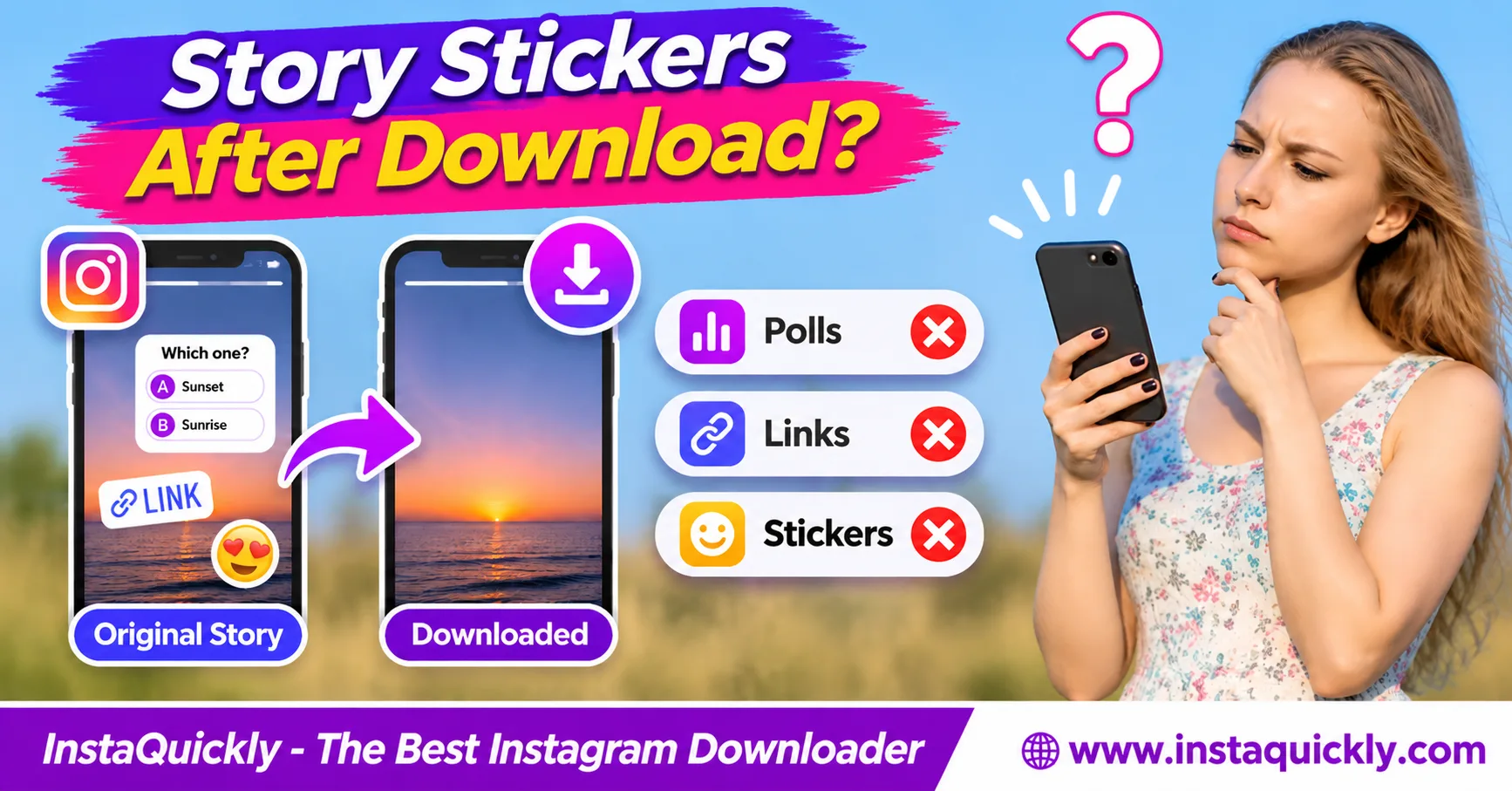
Instagram Story stickers after download may remain visible as images or video graphics, but their interactive features usually stop working. A downloaded JPG or MP4 cannot preserve Instagram's live poll voting, clickable link stickers, quiz responses, or question submissions.
Some stickers may also disappear from the saved media because Instagram displays them as separate interface elements. The result depends on the sticker type, how Instagram renders the Story, and which media version you save.
This guide explains what happens to different Instagram Story stickers, how to save available Story media, and how creators can preserve important links, poll results, and interactive content before it disappears.
What Happens to Instagram Story Stickers After Download?
When you download an Instagram Story, you normally save a photo or video file rather than the complete interactive Story experience. Visible sticker graphics may survive, but their actions, responses, and associated Instagram data do not become working features inside the downloaded media.
Why Do Some Stickers Remain Visible?
Instagram Stories combine visual content with interactive features.
The visual content may contain:
- Camera photos and videos.
- Text overlays.
- Drawings and emojis.
- Decorative sticker graphics.
- Some visible interactive sticker designs.
If Instagram renders a sticker into the image or video frames, its appearance may remain after downloading.
For example, a saved image might still show a poll question and its two answer choices.
However, those choices are only pixels inside the saved file.
You cannot vote by tapping them in Gallery.
Why Do Other Stickers Disappear?
An Instagram Story stickers missing problem can happen when the available media does not include a sticker that Instagram displayed separately.
Interactive stickers can depend on platform data and interface controls.
A downloader may receive the underlying photo or video without all those elements.
For example, a downloaded Story might show the original background image but omit its clickable link sticker.
This does not always mean the downloader is broken.
It may mean the sticker was not part of the available media file.
Is a Downloaded Story an Exact Copy?
Not necessarily.
A downloaded Story can preserve much of the visual content without reproducing Instagram's original viewing experience.
A JPG cannot contain interactive buttons. An ordinary MP4 can play video and audio but cannot recreate Instagram's poll or link actions by itself.
Music, animated stickers, and other platform-controlled effects may also differ.
Treat a downloaded Story as a media copy, not a complete interactive archive.
Instagram Polls, Links and Stickers: What Gets Saved?
An Instagram Story poll download may show the poll's visible design, but it does not preserve working voting controls or the full response data. Link stickers, quizzes, question boxes, mentions, and emoji sliders have similar limitations.
The table below separates appearance from functionality.
Instagram Story Sticker Download Comparison
| Sticker Type | May Stay Visible? | Works After Download? | What Is Usually Missing? |
|---|---|---|---|
| Poll | Yes, source-dependent | No | Voting and live results |
| Quiz | Yes, source-dependent | No | Answer selection and scoring |
| Question box | Yes, source-dependent | No | Response submission |
| Link sticker | Yes, source-dependent | No | Clickable destination |
| Mention sticker | Yes, source-dependent | No | Tappable profile action |
| Hashtag sticker | Yes, source-dependent | No | Hashtag navigation |
| Emoji slider | Yes, source-dependent | No | Interactive rating |
| Countdown | Yes, source-dependent | No | Live countdown and reminders |
| Add Yours | Yes, source-dependent | No | Contribution action |
| Location sticker | Yes, source-dependent | No | Location-page navigation |
| Decorative sticker | Often, if rendered | Not applicable | Editable sticker layer |
| Music sticker | Sometimes | No | Licensed playback may be missing |
"May stay visible" means the sticker graphic appears in the available image or video.
It does not mean every downloadable Story includes that graphic.
What Happens to Instagram Story Polls?
A poll lets Instagram viewers choose between available answers.
The creator may see voting information while the feature remains accessible.
After downloading the Story as JPG or MP4:
- The question may still be visible.
- The answer labels may remain visible.
- The choices cannot receive new votes.
- Live voting totals do not keep updating.
- Individual voter information is not preserved in the media file.
If you created the poll and need its results, record the relevant information using Instagram's own available controls.
Do this while the information is still accessible.
What Happens to Quiz and Question Stickers?
An Instagram Story quiz after saving may look like the original quiz, but the saved file cannot test answers or display Instagram's interactive response behavior.
The same applies to question boxes.
For example, a downloaded Story may still show:
"What should we review next?"
However, viewers cannot submit their answers through the downloaded JPG.
For your own content, save important responses separately if you need them later.
A video or image export is not a reliable backup of audience submissions.
What Happens to Link and Mention Stickers?
An Instagram Story link sticker download does not normally preserve a working clickable link inside the exported photo or video.
A link sticker may still look like a button.
However, tapping that picture in Photos or Gallery will not automatically open the original destination.
The same applies to mentions.
A visible @username may remain on screen, but the downloaded file does not contain Instagram's working profile-navigation action.
Save the destination URL or username separately when you need it.
Instagram Story Sticker vs Embedded Text: What's the Difference?
The Instagram Story sticker vs embedded text distinction is important because ordinary media files store pixels, while Instagram's interactive features may depend on separate application data.
Text that becomes part of the image can remain visible. A working poll, button, or link requires more than a visual label.
What Does "Burned Into the Image" Mean?
A burned-in visual element becomes part of the picture.
For example, a creator may type the words:
"New collection available today"
If Instagram includes that text in the saved image pixels, the words will remain visible.
However, the text is no longer an editable Instagram text layer.
You cannot select it directly from the JPG as normal webpage text.
To recover the words, use the original editing project, manual transcription, or a compatible text-recognition tool.
Can You Copy Text from a Downloaded Sticker?
Sometimes, but not as an interactive Instagram element.
If the downloaded file contains a visible sticker label, you can read and manually copy its text.
You may also use OCR, or Optical Character Recognition, to recognize words in an image.
However, OCR may make mistakes with emojis, usernames, small letters, or decorative fonts.
For selectable descriptions outside the image, read how to copy Instagram captions and hashtags.
A post caption and a sticker embedded in Story media are different text sources.
Can a Downloaded Story Contain a Working URL?
An ordinary JPG or MP4 does not reproduce Instagram's tappable link sticker.
An MP4 can contain metadata, and some media applications support additional features, but these do not automatically rebuild Instagram's sticker controls.
For example, a video showing the text example.com does not create a clickable Instagram link.
You can copy or type a visible URL into a browser when appropriate.
That is different from preserving the original interactive sticker.
How to Download Instagram Stories with Stickers
To download Instagram Story with stickers, first open an accessible Story and check which visual elements are present. Then save the available media through a supported method and compare the file with Instagram playback.
Remember that visible stickers may survive while interactive features do not.
How Do You Save Your Own Story?
- Open Instagram on your phone.
- Go to your active Story.
- Check the stickers and other elements.
- Open the available More or options menu.
- Choose Save Photo, Save Video, or the equivalent option.
- Confirm the export when prompted.
- Open Photos or Gallery.
- Find the saved file.
- Compare its appearance with the original Story.
- Check which stickers, audio, and animations remain.
Menu labels may vary by device and Instagram version.
For interactive Stories, record your own important poll results, answers, or URLs separately.
Do not assume the media export contains them.
How Do You Save an Accessible Public Story?
- Open the public Instagram Story.
- Confirm that you have permission to save it.
- Copy the available Story URL.
- Open the Instagram Story downloader for public media.
- Paste the URL into the input field.
- Review the available media results.
- Save the supported photo or video.
- Open the downloaded file.
- Check whether sticker graphics are visible.
- Compare the saved file with the Story.
InstaQuickly offers browser-based downloads for supported public Instagram media without requiring account login.
However, it does not guarantee retrieval of every sticker or any live interactive data.
Can You Save a Story from Highlights?
Yes, when the Story remains available through an accessible Highlight and the source supports downloading.
You can check the Instagram Highlights downloader for public collections.
However, a Highlight is still a collection of Story media.
Downloading its photos or videos does not restore working polls, clickable links, or other interactive functions.
A Story may also have changed since its original publication.
For your own account, keep separate records of important interactive results rather than depending only on Highlights.
JPG vs MP4: Which Story Format Preserves More Stickers?
JPG can preserve a still image of visible stickers, while MP4 can preserve rendered motion and audio when available. Neither format can reproduce Instagram's interactive poll, quiz, or link functionality on its own.
The best format depends on whether the Story contains a photograph or moving content.
Instagram Story Media Format Comparison
| Feature | JPG / JPEG | MP4 Video |
|---|---|---|
| Still image | Yes | Can display still frames |
| Motion | No | Yes |
| Audio | No | Yes, if included |
| Visible sticker graphics | Source-dependent | Source-dependent |
| Animated sticker appearance | Frozen frame only | May remain if rendered |
| Working poll voting | No | No |
| Working link sticker | No | No |
| Live quiz interaction | No | No |
| Original sticker layers | Not guaranteed | Not guaranteed |
| Original audience responses | No | No |
A photo Story may be available as a JPG, while a video Story may be available as MP4.
These are common formats, not guaranteed outputs for every Story.
Does MP4 Bitrate Affect Sticker Quality?
Bitrate describes the amount of encoded data used per second.
In an MP4, bitrate can affect the sharpness of rendered sticker text, shapes, and animation.
Strong compression may make small letters look blurry or create artifacts around sticker edges.
However, bitrate does not determine whether a poll remains interactive.
Increasing the bitrate of a saved MP4 cannot restore missing sticker data.
Does Resolution Affect Sticker Readability?
Yes, when the sticker appearance is part of the image or video frames.
A small downloaded image may show less readable text than a larger version.
For vertical Stories, 1080 × 1920 pixels at 9:16 is a common design reference.
However, Instagram may provide other dimensions.
Increasing a small file's resolution does not recreate detail that was already lost.
Use the best available source when you need a clear visual record.
Why Are Instagram Story Stickers Missing After Download?
Instagram Story stickers missing after saving may mean the stickers were separate interactive elements rather than part of the downloadable media. Other causes include unavailable media versions, incomplete downloads, or differences between Instagram's player and the exported file.
Check the sticker type before trying to fix the problem.
Why Did My Poll or Link Sticker Disappear?
A poll or link sticker may appear in Instagram without being included in the underlying downloaded image or video.
For example:
- Instagram shows a link button over a Story.
- The downloaded JPG shows only the background photo.
- The saved file contains no tappable button.
- The original link destination is not recoverable from that JPG alone.
This is a source limitation, not necessarily file corruption.
Downloading the same media again may produce the same result.
Why Is My Music Sticker Visible but Silent?
Music stickers may use audio licensed for playback inside Instagram.
A saved Story might preserve the visual music label while omitting the licensed song.
The opposite can also occur: the label may be missing while some original recorded audio remains.
Converting a silent MP4 to another format cannot restore a missing soundtrack.
For a detailed explanation, read why Instagram Story music disappears after saving.
Keep your original recordings when sound is important.
How Do You Troubleshoot Missing Stickers?
- Open the original Story while it remains accessible.
- Identify the sticker type.
- Check whether the sticker is interactive or decorative.
- Save the available Story media.
- Open the downloaded JPG or MP4.
- Compare its visual content with Instagram.
- Check whether the file is complete.
- Confirm whether the missing element was interactive.
- Record important links or responses separately when you own the content.
Do not install unknown browser extensions or provide Instagram session cookies to services promising to recover private sticker data.
A normal download cannot recreate unavailable Instagram interactions.
How Should Creators Back Up Stories with Interactive Stickers?
Creators should save their original Story media and keep interactive information separately. A downloaded Story can preserve its visual appearance, but poll results, question responses, and link destinations may require their own records.
This is especially important for campaigns, feedback surveys, and educational Stories.
How Do You Preserve a Story Poll or Quiz?
- Open your own Story while its results remain accessible.
- Review the available poll or quiz responses.
- Use Instagram's available tools to record the information.
- Save the relevant results in a private document.
- Export the Story media separately.
- Keep the question and answer choices together.
- Record the publication date.
- Store the files in an organized folder.
For example:
Campaign_Stories/Polls/
Campaign_Stories/Media/
Campaign_Stories/Results/
A saved JPG showing two poll options does not preserve the complete history of audience votes.
How Do You Save Link Sticker Destinations?
For your own Story, keep the original URL in a campaign document before publishing.
Record:
- Story topic.
- Destination URL.
- Publication date.
- Call-to-action text.
- Campaign name.
- Relevant performance information.
For example, a product announcement might contain a link sticker labeled "Shop Now."
The saved media may preserve those words but not the working destination.
A separate URL record keeps the information useful after the Story expires.
What About Newer Interactive Story Stickers?
Instagram has introduced interactive features beyond simple polls and links.
Meta's official guide to new Instagram Story stickers explains Add Yours Music, Frames, Reveal, and Cutouts.
For example, Reveal asks viewers to send a DM to uncover hidden content, while Frames uses a reveal interaction.
A downloaded image or video does not automatically reproduce these Instagram-specific actions.
Some sticker visuals may remain, but their original behavior depends on the platform.
Can You Reuse Someone Else's Sticker Content?
Downloading public Story media does not automatically grant permission to republish its photos, videos, graphics, or written content.
For example, a creator may own a custom sticker illustration or promotional design.
Saving that image for permitted personal reference differs from using it in commercial advertising.
Respect the creator's rights and obtain permission where required.
For your own interactive campaigns, keep the original artwork and editable files outside Instagram.
Frequently Asked Questions About Downloaded Instagram Story Stickers
Do Instagram Story stickers stay after downloading?
Sometimes. A sticker may remain visible if Instagram rendered its appearance into the available image or video.
However, interactive actions such as voting, tapping links, or submitting answers do not work inside ordinary downloaded JPG or MP4 files.
Can I download an Instagram Story with a working poll?
No. A normal Story media download cannot reproduce Instagram's live voting system.
The poll graphic may remain visible, but users cannot submit votes through the downloaded file.
Do Instagram link stickers work after download?
No. An ordinary saved JPG or MP4 does not preserve the Instagram link sticker as a working button.
Save the destination URL separately if you need it.
What happens to quiz stickers after saving a Story?
The quiz's visible question and answers may remain as graphics.
However, the saved file does not support interactive answer selection, scoring, or Instagram's live quiz behavior.
Why are my Instagram Story stickers missing?
The available media may not contain the stickers because Instagram displayed them as separate interface elements.
Check the original Story and sticker type. Downloading again cannot guarantee recovery of missing interactive layers.
Can I download Stories with mention stickers?
You may save a Story showing a mention label when its visual appearance is included in the available media.
However, the downloaded image or video does not reproduce the tappable Instagram profile link.
Does a downloaded Story save poll results?
No. An ordinary JPG or MP4 does not provide a complete export of poll votes or individual responses.
Creators should record important results through Instagram's available tools while the data is accessible.
Can InstaQuickly preserve interactive Instagram stickers?
InstaQuickly can retrieve available public Story media, but it cannot guarantee preservation of sticker graphics or Instagram's interactive functions.
Use the original Story interface for working polls, links, quizzes, and responses.
Conclusion: Save the Visual Story, Not the Live Interaction
Instagram Story stickers after download may remain visible, but polls, quizzes, links, mentions, and other interactive controls do not become functional inside ordinary media files.
A saved JPG or MP4 can preserve available visual content without recreating the original Instagram experience. Some stickers may disappear entirely if they were not included in the accessible media.
For creators, save important poll results, question responses, and URLs separately before they become unavailable.
Use InstaQuickly to check available public Story and Highlight media, but do not expect a downloaded file to work like an interactive Instagram Story.
Save public Instagram media for permitted personal research or educational purposes. Obtain permission before republishing or commercially using another creator's photos, videos, music, or sticker designs.
InstaQuickly is an independent service and is not affiliated with or endorsed by Instagram or Meta.