
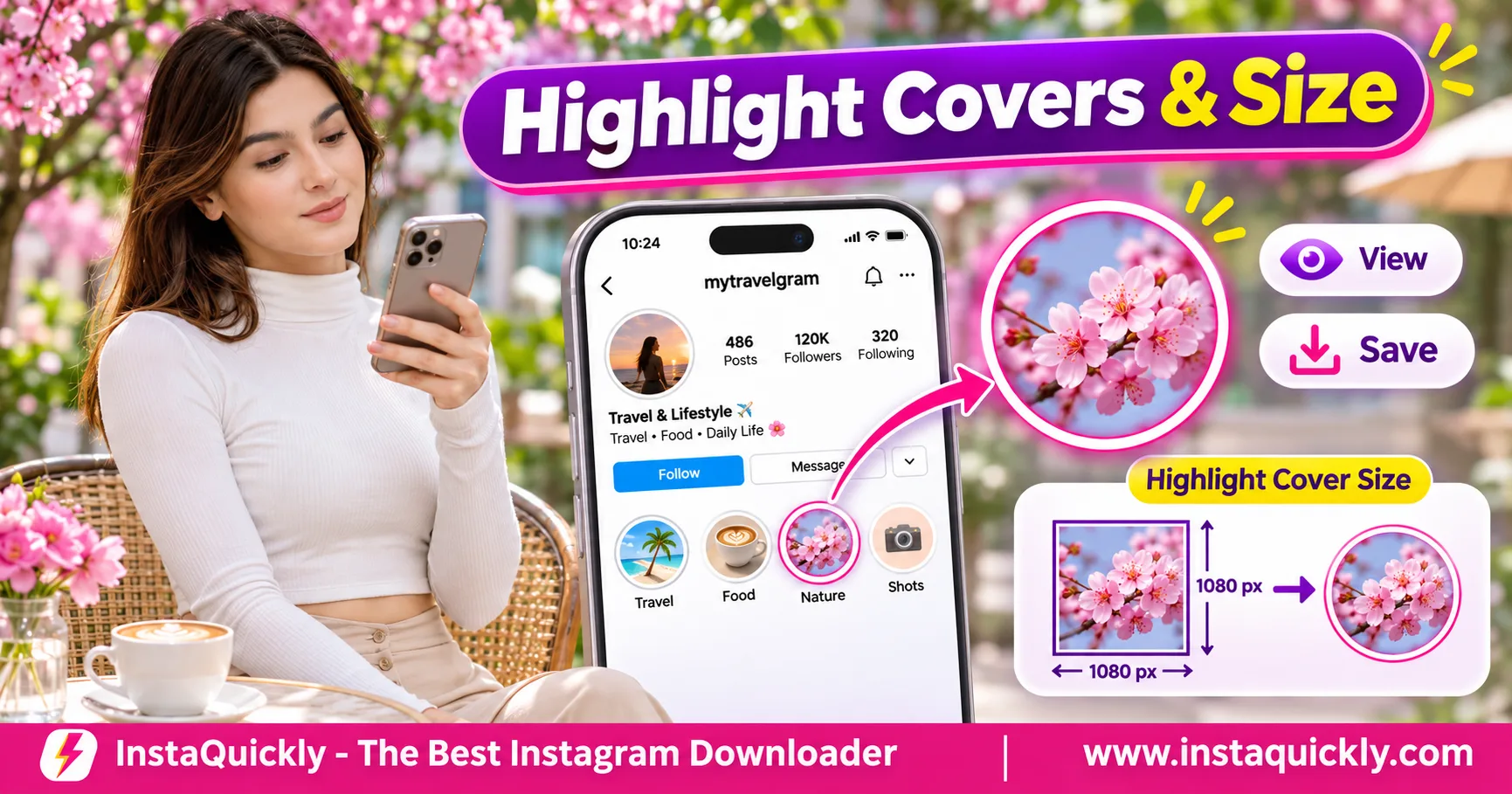
Want an Instagram Highlight cover download? Open an accessible Instagram profile, find the Highlight, and check whether its cover image is available as a separate file. You can save that image when the source supports it, but a Highlights downloader may only offer the Stories inside the collection.
An Instagram Highlight cover is the small circular image displayed on a profile. It can be different from the photos and videos inside the Highlight.
This guide explains how to view and save Highlight covers, understand their dimensions and resolution, fix blurry icons, and preserve the original cover artwork for your own account.
What Is an Instagram Highlight Cover Photo?
An Instagram Highlight cover is an image that represents a Story Highlight on a user's profile. Instagram displays the cover as a small circular icon, usually near the profile information. The cover helps visitors identify the Highlight before opening its Stories.
The cover is not necessarily one of the Story images inside the collection.
What Is an Instagram Story Highlight Cover Image?
An Instagram Story Highlight cover image is the visual icon associated with a Highlight collection.
For example, a travel creator might use different covers for:
- Travel destinations.
- Food recommendations.
- Hotel reviews.
- Travel tips.
- Favorite experiences.
A business might use separate icons for products, customer reviews, delivery information, and frequently asked questions.
Each cover helps visitors recognize the collection's subject.
The creator can choose an available image or use custom artwork when editing a Highlight.
However, the cover's appearance on the profile does not tell you the exact dimensions of its underlying image file.
Is a Highlight Cover the Same as a Story?
No. A Highlight cover represents a collection, while a Story is an individual photo or video within that collection.
A Highlight may contain several Stories but display only one cover icon.
For example:
- Highlight name: Travel.
- Highlight cover: A white airplane icon.
- First Story: A photograph of an airport.
- Second Story: A hotel video.
- Third Story: A city photograph.
Downloading the first Story will not automatically give you the airplane cover.
The cover may come from a separate image that the creator selected.
Can You Change a Highlight Cover Without Deleting Its Stories?
Yes. Instagram allows account owners to edit a Highlight's cover and title without recreating the entire collection.
The editing interface may vary between app versions.
Changing the cover does not automatically change the photos or videos inside the Highlight.
For creators, keeping the original cover artwork makes future updates easier.
It also helps maintain a consistent profile design across multiple Highlights.
Instagram Highlight Cover vs Thumbnail vs Story
The main Instagram Highlight cover vs Story difference is their purpose. The cover represents the collection, the thumbnail is the small displayed preview, and a Story is the actual photo or video inside the collection.
These elements can use different image sources and resolutions.
Highlight Cover and Story Comparison
| Feature | Highlight Cover | Highlight Thumbnail | Story Inside Highlight |
|---|---|---|---|
| Main purpose | Identify a collection | Display a small preview | Show actual content |
| Typical display | Circular icon | Small circular preview | Full-screen Story |
| Selected by creator | Yes | Derived from available cover | Published by creator |
| Can use custom artwork | Yes | If based on artwork | May contain graphics |
| Always a separate image file | No guarantee | No guarantee | Photo or video |
| Contains video playback | No | No | Sometimes |
| Original quality guaranteed | No | No | No |
| Available to download | Source-dependent | Source-dependent | Source-dependent |
| Best use | Profile organization | Quick visual recognition | Viewing Story content |
A downloader may retrieve a Story successfully while offering no separate cover image.
Always check what the available file represents.
Can the Cover Be Different from Every Story?
Yes. A creator can use a custom graphic that does not appear in any Story within the Highlight.
For example, a business might upload a blue delivery icon as its cover, while the collection contains videos showing completed deliveries.
The custom icon and the Story media are different assets.
Saving a random Story frame will not reproduce the original cover.
If you own the account, use your original graphic file for the most reliable backup.
Why Does the Cover Appear as a Circle?
Instagram displays Highlight covers in a circular profile interface.
The circular shape usually comes from the display mask rather than requiring the original artwork to be a circular image file.
A square or portrait image can appear inside the circle.
Parts near the corners may disappear because the circular mask hides them.
For clean results, keep the important symbol near the center of the design.
How to View and Save an Instagram Highlight Cover Photo
To save Instagram Highlight cover photo images, start by opening the correct Highlight and checking whether the accessible source includes a separate cover file. If no image download option exists, use your original design or a permitted screenshot as a fallback.
Do not mistake downloading Highlight Stories for downloading the cover.
How Do You View an Instagram Highlight Cover?
- Open the Instagram application or website.
- Visit the account's profile.
- Find the Highlight you want.
- Look at its circular cover.
- Note the Highlight name.
- Tap the Highlight to inspect its contents.
- Return to the profile to compare the cover with the Stories.
- Confirm that you have selected the correct collection.
Instagram generally displays the cover as a small icon.
Tapping the Highlight normally opens its Stories rather than a full-size cover image.
The interface does not guarantee a separate high-resolution cover viewer for every account.
How Can You Download an Instagram Highlight Icon?
To download Instagram Highlight icon images, check whether a compatible source provides the cover separately.
- Open the accessible Instagram Highlight.
- Copy its available link or identify the public account.
- Open a compatible media tool.
- Enter the supported Highlight URL.
- Review the available media results.
- Look for an option specifically labeled Cover, Thumbnail, or Image.
- Confirm that the image matches the circular cover.
- Save the file if that option is supported.
- Inspect the saved image's dimensions.
A separate image preview is not always a downloadable cover file.
If the tool only returns Story photos and videos, it has not necessarily extracted the Highlight cover.
Can You Use InstaQuickly to Save Highlight Covers?
InstaQuickly provides a browser-based workflow for supported public Highlight media.
Use the Instagram Highlights downloader for public collections to check which accessible Story files are available.
However, do not assume that the tool always offers a separate cover-image download.
A Highlight may contain several downloadable Stories while its cover remains unavailable as an independent image.
Only use a dedicated cover download option when the tool actually provides one.
If no cover file appears, use an authorized original image or another permitted image-saving method.
Can You Save a Highlight Cover on iPhone or Android?
Yes, if an accessible image file exists or you can capture a permitted visual reference.
For an image file:
- Open the supported image source.
- Choose Download or Save Image when available.
- Open Files or Downloads on your device.
- Find the saved image.
- Open it in Photos or Gallery.
- Check whether the cover appears correctly.
If no separate image is available, a screenshot can capture the visible circular icon.
However, screenshots usually preserve the displayed preview size rather than the full underlying artwork.
They may also include surrounding profile elements.
For your own account, use the original cover image whenever possible.
Instagram Highlight Cover Size and Resolution Explained
Instagram Highlight cover size refers to the dimensions of the artwork or accessible image file. Instagram may display a small circular preview even when the original image contains many more pixels.
A practical design canvas is 1080 × 1920 pixels at 9:16, but this is not a guaranteed download resolution.
What Are the Best Instagram Highlight Cover Dimensions?
For your own cover design, use a high-quality image with a centered symbol.
A 1080 × 1920 pixel canvas is a practical option because it follows the common vertical Story format.
However, the cover will appear inside a circle on the profile.
This means the entire vertical design will not be visible in the small icon.
Keep the logo or illustration near the center and check the circular preview before saving.
For simple icon artwork, a square source can also be useful when the current editing interface supports appropriate positioning and cropping.
Instagram Highlight Cover Dimensions Compared
| Image Dimensions | Aspect Ratio | Potential Use | Main Limitation |
|---|---|---|---|
| 150 × 150 px | 1:1 | Small icon preview | Limited enlargement |
| 320 × 320 px | 1:1 | Basic cover artwork | May lose fine detail |
| 640 × 640 px | 1:1 | Larger square icon | Circular crop still applies |
| 1080 × 1080 px | 1:1 | High-detail square design | Not a guaranteed Instagram file |
| 1080 × 1350 px | 4:5 | Portrait artwork | Profile display may crop |
| 1080 × 1920 px | 9:16 | Vertical Story-style design | Only central area appears in icon |
These are illustrative design dimensions, not official guaranteed Highlight cover download sizes.
The actual accessible thumbnail may use a different pixel size or format.
What Is Instagram Highlight Cover Resolution?
Instagram Highlight cover resolution describes the width and height of the saved image in pixels.
For example, a 320 × 320 image contains 102,400 pixels.
A 1080 × 1080 image contains 1,166,400 pixels.
The larger image offers more potential detail, but the original artwork and compression also matter.
A small blurred source does not become a true high-resolution image when you enlarge it.
Always inspect the actual file dimensions rather than judging quality from the browser preview.
Can You View an Instagram Highlight Cover Full Size?
Sometimes, but not through every Instagram interface or media source.
A public profile may display only the small circular thumbnail.
If a larger underlying image is accessible, a suitable tool may provide it.
However, view Instagram Highlight cover full size does not mean Instagram must provide the creator's original upload.
A larger preview may still be a resized or compressed copy.
For professional design work, request the original graphic or use your own saved source file.
Which Image Format Is Best: JPG, PNG or WebP?
The best format depends on the artwork and the available source.
Common image formats include:
- JPG: Suitable for photographs and compact files.
- PNG: Useful for logos, icons, and clean edges.
- WebP: Supports efficient lossy and lossless compression.
For your own simple Highlight icons, PNG can help preserve sharp lines and text before upload.
However, Instagram may process the file after publishing.
Converting a compressed JPG to PNG does not restore missing details.
Choose a clean original image instead of repeatedly converting downloaded previews.
How to Create and Save Your Own Highlight Cover
The most reliable way to preserve a Highlight cover is to create the artwork yourself and keep its original design file.
This avoids depending on a small Instagram thumbnail when you want to reuse or update your profile branding.
How Do You Create a Clear Highlight Cover?
- Open your preferred image editor.
- Create a suitable square or vertical canvas.
- Choose a simple background color.
- Place one recognizable icon near the center.
- Keep enough space around the icon.
- Avoid small text that will become unreadable.
- Export the design as PNG or JPG.
- Save the original editable project.
- Check the design at a small circular preview size.
- Keep a backup before uploading.
For example, a clothing store could use a consistent set of icons for New Arrivals, Reviews, Delivery, and Size Guide.
Use the same visual style across the collection.
How Do You Change Your Instagram Highlight Cover?
- Open Instagram.
- Go to your own profile.
- Find the Highlight you want to edit.
- Press and hold its icon, or open its available options.
- Select Edit Highlight.
- Choose Edit Cover.
- Select an available image or cover source.
- Adjust its position and crop.
- Save the changes.
- Review the result on your profile.
Menu labels may change between Instagram versions.
If the custom image does not fit the circle, return to your source design and increase the spacing around its main icon.
Should You Keep the Original Cover Artwork?
Yes. Keep both the original design project and an exported image file.
For example:
Instagram_Highlights/Covers/Originals/
Instagram_Highlights/Covers/Exports/
This lets you update colors, replace icons, or redesign your profile without extracting low-resolution images from Instagram.
For cover artwork that you also use in other image formats, read why Instagram images can lose detail.
Why Is an Instagram Highlight Icon Blurry or Missing?
An Instagram Highlight icon blurry problem often results from a small source image, heavy compression, or a design that does not work at circular thumbnail size.
A missing cover may also result from unavailable media or a temporary display problem.
How Do You Fix a Blurry Highlight Cover?
- Open the original cover artwork.
- Check its pixel dimensions.
- Confirm that the icon itself is sharp.
- Use a clean export instead of a screenshot.
- Keep the important design near the center.
- Avoid very thin lines or tiny text.
- Upload the revised cover through Instagram.
- Check the circular preview on your profile.
If the source artwork is already blurred, exporting it at a larger size will not restore the missing detail.
Use the original vector design or a higher-resolution source when available.
Why Does a Downloaded Highlight Thumbnail Look Smaller?
A downloaded thumbnail may be smaller because Instagram provides an image optimized for its profile interface.
The thumbnail might contain fewer pixels than the original cover.
For example, a profile may display a small icon even though the creator originally uploaded a much larger image.
A downloaded thumbnail cannot automatically recover that original artwork.
Check the saved file's resolution before trying to enlarge it.
Why Is the Highlight Cover Missing from a Downloader?
The source may provide Story media without exposing a separate cover image.
Other possible causes include:
- The Highlight is no longer available.
- The account restricts public access.
- The supplied link points to an individual Story.
- The tool does not support cover extraction.
- The source only provides a small preview.
- The media request fails temporarily.
Do not assume that downloading the first Story will give you the correct cover.
For the differences between Story content and Highlights, read how Instagram Stories and Highlights differ.
Can You Reuse Someone Else's Instagram Highlight Cover?
You can view publicly accessible Highlight covers, but downloading does not give you copyright ownership or automatic permission to reuse their artwork.
A cover may contain an original illustration, photograph, logo, or other protected design.
Is It Legal to Save an Instagram Highlight Icon?
Saving an accessible image for permitted personal reference is different from republishing it.
For example, a designer may collect authorized visual references when researching profile organization.
However, using someone else's logo or custom artwork in your own business profile may create copyright or trademark problems.
Before publishing another creator's image, check the relevant rights and request permission when needed.
Can You Use a Highlight Cover for Your Own Brand?
You can reuse artwork you created or have permission to use.
For third-party graphics, confirm the license covers your intended use.
Avoid copying a competitor's distinctive icons, logos, or brand identity.
For your own business, create a consistent set of original designs.
Simple icons, clear spacing, and readable colors can improve recognition even at small display sizes.
Are Highlight Covers Different from Reel Covers?
Yes. A Highlight cover represents a Story collection, while a Reel cover represents one Reel.
The two may use similar artwork, but Instagram displays them in different contexts.
A Highlight cover is usually a small circular icon. A Reel cover is commonly shown as a rectangular video preview.
For more information, see how to save Instagram Reel cover images.
Do not use a Reel thumbnail downloader as a guaranteed Highlight cover extractor.
Frequently Asked Questions About Instagram Highlight Cover Downloads
Can I download an Instagram Highlight cover photo?
Sometimes. An accessible source may provide a separate cover image that you can save.
However, a Highlights downloader may only offer the Stories inside the collection. It cannot guarantee the original cover artwork.
What is the best Instagram Highlight cover size?
A 1080 × 1920 pixel canvas is a practical starting point for vertical Story-style designs.
Keep the important icon centered because Instagram displays the Highlight cover inside a small circle. This size is a design recommendation, not a guaranteed download resolution.
Can I view an Instagram Highlight cover in full size?
Only when a larger image version is accessible.
Instagram's profile interface generally displays a small circular icon, and downloading that thumbnail does not guarantee access to the original image.
Why does my Instagram Highlight icon look blurry?
The source may have low resolution, strong compression, thin lines, or tiny text.
Use clean original artwork, center the icon, and review the design at a small circular size before publishing.
Is a Highlight cover the same as the first Story?
No. A creator can choose a separate cover image that does not appear inside the Highlight.
Downloading the first Story may produce a different photograph or video frame.
Can I save a Highlight cover without downloading the Stories?
Yes, when the source offers a separate cover image.
If it only provides Story media, you cannot assume that the cover is available as an independent file.
Can InstaQuickly download original Highlight cover images?
InstaQuickly supports downloads of available public Highlight media, but a dedicated original-cover download is not guaranteed.
Check the actual results. If the tool provides only Story images or videos, it has not necessarily retrieved the Highlight's cover artwork.
Conclusion: Save the Right Highlight Cover at the Best Available Quality
An Instagram Highlight cover download can help you keep an accessible visual reference, but the small circular thumbnail is not always the original artwork.
First, identify the correct Highlight and check whether its cover is available as a separate image. Compare the saved file's pixel dimensions, crop, and sharpness before using it.
For your own profile, preserve the original cover design and keep the important icon centered.
InstaQuickly provides browser-based access to supported public Highlight media, but it does not guarantee separate cover-image extraction or original upload quality.
Explore InstaQuickly's Instagram Highlights Downloader to check available public Story media.
Save public Instagram media for permitted personal research or educational purposes. Obtain the necessary rights before republishing or commercially using someone else's cover art, videos, or audio.
InstaQuickly is an independent service and is not affiliated with or endorsed by Instagram or Meta.