
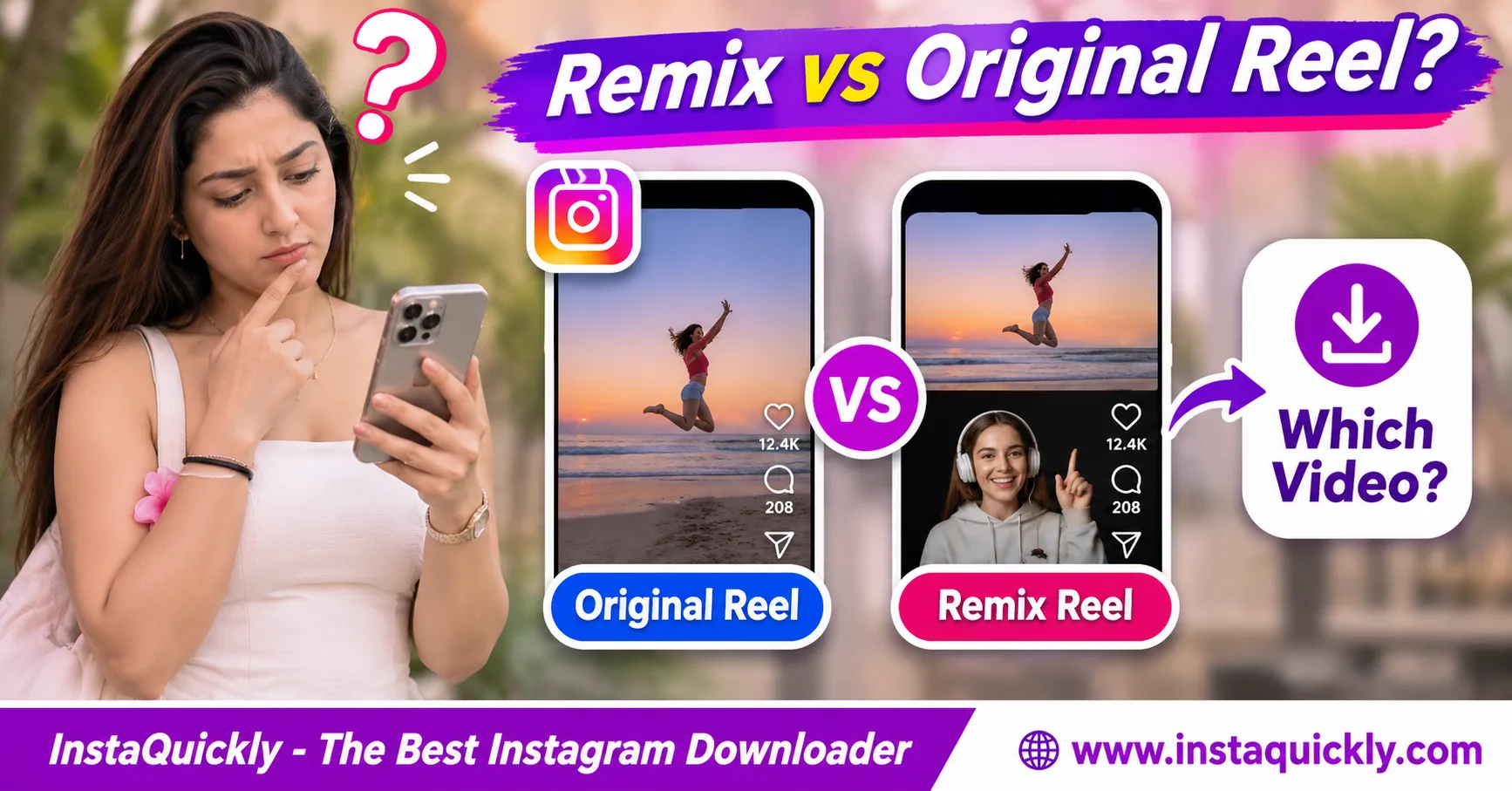
Instagram Reel Remix vs original comes down to which post you download. A Remix is a new Reel that combines or responds to existing content. The original Reel is a separate post. If you download the Remix URL, you generally get the available remixed video, not a separate copy of the original creator's master file.
A Remix may show two videos side by side, place one video over another, or play them in sequence. Audio and credits can also differ.
This guide explains how Remix works, how to identify the correct Reel URL, what a downloaded MP4 may contain, and how to respect both creators' rights.
What Is the Difference Between an Instagram Reel Remix and an Original Reel?
An original Reel is the existing content used as the starting point. A Remix is a separate Reel that adds another creator's reaction, commentary, or footage. The Remix can include parts of the original, but it has its own post and playback composition.
What Is an Instagram Reel Remix?
Instagram Reels Remix explained: Remix is Instagram's feature for creating a response to another eligible Reel or photo.
For example, one creator posts a cooking technique. Another creator records a reaction or demonstrates a different method.
The new post can combine these materials into one viewing experience.
Common uses include:
- Reaction videos.
- Side-by-side comparisons.
- Tutorials and demonstrations.
- Commentary on existing clips.
- Creative challenges.
- Follow-up scenes.
The Remix may refer viewers back to the source creator through Instagram's attribution interface.
However, the exact information visible in a downloaded video can differ from the Instagram post.
Is a Remix a Separate Instagram Post?
Yes. A published Remix has its own post identity.
It can have a different:
- Creator account.
- Reel URL.
- Caption and hashtags.
- Cover image.
- Video composition.
- Audio mix.
- Publication date.
The original Reel does not automatically become a Remix simply because another creator uses it.
Both posts may remain available independently, depending on the creators' settings and platform restrictions.
Is Remix the Same as Reposting?
No. The difference between Remix and repost is how Instagram uses and presents the content.
A Remix creates a new Reel with additional creative material.
A repost shares an existing post through Instagram's supported sharing features without necessarily creating a newly edited video.
Downloading a Reel and uploading the MP4 again is another action entirely.
It does not automatically preserve Instagram's native Remix attribution or establish permission to reuse the footage.
Instagram Remix vs Original vs Repost: Comparison Table
A Remix and its source can show similar footage, but they are not the same video asset. Their URLs, creators, captions, and final edits may differ. A repost is also different because it does not necessarily create a new edited video file.
| Feature | Original Reel | Remixed Reel | Instagram Repost |
|---|---|---|---|
| Separate source content | Yes | Uses source plus new content | Shares existing content |
| New edited video composition | Original creation | Yes | Not normally |
| Separate Reel post URL | Yes | Yes | Not necessarily |
| Adds reaction footage | Optional | Common | No |
| Side-by-side layout | Optional editing choice | Supported Remix style | No |
| Original creator credited | By account ownership | Instagram attribution may appear | Platform attribution |
| Own caption or description | Yes | Yes | Depends on sharing interface |
| Download gives original master | Not guaranteed | No | Not guaranteed |
| Reuse rights automatically granted | No | No | No |
A native Remix feature provides a way to create content within Instagram.
It does not automatically grant unrestricted rights for external publication or commercial use.
How Do Instagram Remix Layouts Change the Saved Video?
An Instagram Reel Remix layout determines how the original and new footage appear together. Some layouts show both sources at once, while others play them one after the other. The saved video generally reflects the available published composition rather than separate editing layers.
What Is the Side-by-Side Remix Layout?
An Instagram Reel Remix side by side layout places the original and new footage in separate areas of the frame.
For example:
- Original creator: Left side.
- Remix creator: Right side.
Other supported layouts can divide the screen horizontally.
This format works well for reactions, comparisons, and demonstrations.
However, each source receives less display space.
Text and small details may become harder to read when the combined video plays on a phone.
What Is a Picture-in-Picture Remix?
Picture-in-picture displays one video inside a smaller window over another video.
A creator might place their face in a corner while the original footage fills most of the screen.
This keeps the source visible while adding commentary.
However, the smaller video can cover important parts of the source.
If the Remix has already been exported as a single MP4, a downloader cannot automatically separate the source and reaction into their original full-resolution recordings.
What Is a Sequential Remix?
A sequential Remix plays the original content first, followed by the creator's new clip.
For example:
- Opening section: Original cooking method.
- Following section: Creator's reaction or alternative method.
This format differs from side-by-side playback.
Both clips may appear full-screen, but they are still parts of one published Remix.
The saved MP4 may contain the sequence as a single video stream.
It does not necessarily contain separate source files.
Can a Remix Include Stickers and Text?
Yes. A Remix creator may add text, visual effects, or other editing elements.
If these elements appear inside the rendered video frames, they may remain visible in a downloaded MP4.
However, a downloaded file does not automatically preserve separately editable Instagram effects or interactive controls.
This is similar to the distinction explained in how Instagram Story stickers survive downloads.
A visible graphic is not the same as a working Instagram interface element.
How to Download an Instagram Remix Reel or Its Original
To download Instagram Remix Reel media, identify the exact post you want first. Copy the Remix URL to save the available remixed version, or open the source creator's Reel and copy that URL to check the original post.
Do not assume one URL gives you both videos.
How Do You Save an Instagram Remixed Reel?
- Open Instagram.
- Find the published Remix you want to save.
- Check the account that posted it.
- Review the visible Remix attribution.
- Tap Share.
- Select Copy Link.
- Open the Instagram Reels downloader for public videos.
- Paste the copied Remix URL.
- Review the available media options.
- Save the supported video file.
- Open the downloaded MP4.
- Confirm that it contains the intended Remix.
InstaQuickly provides browser-based downloads for supported public Reels without requiring Instagram login.
However, it cannot guarantee access to every Remix or its separate source recordings.
How Do You Download the Original Reel Instead?
- Open the Remix in Instagram.
- Look for attribution to the original creator.
- Open the linked original Reel when available.
- Confirm that the source post is the video you want.
- Tap Share on the original Reel.
- Select Copy Link.
- Use the supported Reel download workflow.
- Save the available original-post media.
- Compare it with the remixed video.
A source link may no longer work if the original was deleted, made private, or otherwise restricted.
Even a successful original-post download does not guarantee access to the creator's untouched camera recording.
Can You Download Both Videos Separately from One Remix URL?
Not reliably.
A published Remix may provide one combined video rather than individual source recordings.
For example, a side-by-side MP4 can contain both pictures in one frame.
That does not mean the file stores two separate high-resolution video tracks.
You might crop the picture into two parts, but that would not recover the original recordings or their full quality.
For reliable separate copies, obtain each authorized source directly.
Which Video Are You Actually Saving? MP4, Audio and Quality
When you download a remixed Reel, you generally receive a media version associated with the Remix post. This can contain the combined visual composition and an available audio mix. The file does not necessarily preserve separate original clips, source attribution, or editing layers.
Does the MP4 Contain the Original and Reaction Separately?
Usually not as independently editable sources.
A published Remix may be delivered as a normal MP4 containing a final video stream.
For example, a side-by-side frame can display both creators at once.
However, the MP4 may contain only the combined picture.
A normal video player cannot select the original creator's full recording from that single frame.
Likewise, a sequential Remix may play both scenes without storing them as separate downloadable files.
Does a Downloaded Remix Keep Both Audio Tracks?
Not necessarily.
The original and Remix creator can contribute audio, but the published composition may use a combined soundtrack.
The available media file might contain one audio stream representing the final mix.
Licensed Instagram music can also be absent from certain downloads or exports.
Do not assume you can independently adjust both creators' voices after saving.
Keep original recordings and separate audio tracks when you own the editing project.
Remix Download Format and Quality Comparison
| Property | Original Reel Download | Remix Reel Download |
|---|---|---|
| Typical media container | MP4 | MP4 |
| Video codec | Source-dependent | Source-dependent |
| Audio codec | Source-dependent | Source-dependent |
| Video layout | Original published framing | Combined Remix framing |
| Separate editable clips | Not guaranteed | Not guaranteed |
| Source camera resolution | Not guaranteed | Not guaranteed |
| Original creator audio | May be included | Depends on final mix |
| Remix creator audio | Not applicable | May be included |
| Independent audio stems | Not guaranteed | Not guaranteed |
| Editable project timeline | No | No |
Both files can be playable MP4 videos while containing very different content.
The extension alone cannot tell you which creator's Reel you downloaded.
Why Does the Remixed Video Look Smaller or Cropped?
A Remix layout can place multiple recordings inside one vertical frame.
For example, a side-by-side composition divides the available display area between two videos.
Each source may appear smaller than it did in the original Reel.
The creator may also crop or zoom the footage to fit the chosen layout.
Downloading the published Remix cannot automatically restore pixels removed during editing.
If you need the original framing, locate the source Reel.
Instagram Remix Download Limitations and Common Problems
Instagram Remix download limitations include unavailable original posts, missing audio, combined video layouts, and source restrictions. These are often characteristics of the published media rather than errors that another downloader can repair.
Check the post identity before troubleshooting the MP4.
Why Did I Download the Original Instead of the Remix?
The most common explanation is that you copied the original Reel URL rather than the Remix URL.
For example, you may have tapped the original creator's attribution and then copied that source post.
Check:
- Which account published the open Reel.
- The visible video composition.
- The post URL you copied.
- Whether the preview includes reaction footage.
- Whether the file matches the intended Reel.
Return to the Remix post and copy its link directly if you want the remixed version.
Why Is the Original Creator Missing from the Download?
Instagram may show attribution in its application interface without embedding the same information inside every downloaded video frame.
A saved MP4 might therefore display the visual Remix but not all the account names or clickable attribution labels.
The absence of visible attribution in the video does not remove the original creator's rights.
Keep the original source URL and creator information when organizing authorized reference files.
Why Is the Remix Not Available for Download?
Possible causes include:
- The Remix is private.
- The post was deleted.
- Instagram no longer provides the media publicly.
- The source has access restrictions.
- The link identifies the wrong post.
- A supported media version is unavailable.
Do not use services promising to unlock restricted accounts or bypass permissions.
For ordinary public video posts outside the Reels-specific workflow, check the Instagram video downloader for public posts.
That tool also depends on accessible media and cannot guarantee access to restricted sources.
What If I Need the Remix Creator's Draft?
An unpublished Remix draft is different from a published Reel.
Public media downloaders cannot access local Instagram draft projects simply from an account name.
If you created the Remix, use your original editing project or Instagram's available draft export controls.
Read how to export Reel drafts before publishing for a creator-focused workflow.
Save your original footage separately because a draft export may not preserve editable layers.
Who Owns an Instagram Remix and Can You Reuse It?
A Remix can contain creative contributions from more than one person. Saving the combined video does not automatically give you permission to reuse both creators' footage, music, or other protected material outside Instagram.
Check each relevant right before republishing.
Does Instagram Credit the Original Creator?
Instagram's native Remix feature can display attribution to the original source creator.
Meta has explained this attribution and collaborative workflow in its official guide to expanded Instagram Remix features.
However, attribution inside Instagram is not the same as ownership of the downloaded file.
A local MP4 may not preserve every interface label or source link.
Keep both the original URL and Remix URL for accurate records.
Can You Repost a Downloaded Remix?
Not automatically.
A Remix may include:
- The original creator's footage.
- The Remix creator's reaction.
- Licensed music.
- Third-party images.
- Brand graphics.
- Other protected material.
Permission to use Instagram's built-in Remix feature does not necessarily authorize every external use.
For commercial publishing or distribution, obtain the rights needed for all relevant elements.
Simply adding credit may not be sufficient.
How Should Creators Archive Their Own Remixes?
Store the finished Remix and original source information separately.
A practical archive includes:
- Your original camera footage.
- Your editing project.
- The published Remix URL.
- The source Reel URL.
- Final exported MP4.
- Audio permissions.
- Cover artwork.
- Caption and attribution notes.
If you want a short silent animation later, read when to convert Reel videos into GIFs.
GIF conversion creates another output format; it does not recover separate Remix sources.
Frequently Asked Questions About Instagram Reel Remix vs Original
What is the difference between an Instagram Remix and an original Reel?
The original Reel is the source post. A Remix is a separate Reel that adds another creator's content or response.
The two posts can have different URLs, captions, covers, and video compositions.
When I download an Instagram Remix, do I get the original video?
Usually, you get the available media for the Remix post whose URL you submitted.
This does not automatically include a separate original Reel file. Open the source creator's post to check its media independently.
Can I download an Instagram Remix side by side?
Yes, if the published Remix is accessible and a supported video file is available.
The downloaded MP4 may show both creators side by side, but it does not necessarily contain their separate original recordings.
Does an Instagram Remix download include both audio tracks?
The available MP4 may contain a final combined audio mix.
It does not guarantee separate audio tracks for each creator. Licensed music may also be missing from some media versions.
Is Remix the same as reposting?
No. Remix creates a new edited Reel using another eligible post as source material.
Reposting shares existing content through Instagram's supported sharing system without necessarily creating a new edited video.
Can I download only the original part of a Remix?
Not reliably from a combined MP4.
Find the linked original Reel and download its accessible media with permission. Cropping the Remix does not restore the original full-resolution source.
Why does my Remix download have a different layout?
The creator may have selected split-screen, picture-in-picture, green screen, or sequential playback.
The downloaded file generally follows the available published composition, not a separate source layout.
Can InstaQuickly download private or unpublished Remix drafts?
No. InstaQuickly's public-media download workflow cannot guarantee access to private Reels, deleted content, or unpublished drafts.
Use authorized source files or native creator export options for your own unpublished projects.
Conclusion: Check the Reel URL Before Downloading
Instagram Reel Remix vs original is mainly a question of which published post you want. Copy the Remix URL to check the available combined video, or open the source creator's Reel and copy its URL to check the original version.
A Remix may combine videos side by side, overlay them, or play them in sequence. Its downloaded MP4 usually does not contain independently editable source recordings or separate audio stems.
Keep both post URLs when archiving content, and verify the saved video's layout and sound.
For supported public Reels, use InstaQuickly to check available media while respecting each creator's rights.
Save Instagram media only for permitted personal research, education, or other authorized uses. Obtain the necessary rights before editing, reposting, or commercially using another creator's footage, audio, or Remix.
InstaQuickly is an independent service and is not affiliated with or endorsed by Instagram or Meta.